Chart position — tracked daily by LaunchShots
Screenshot style breakdown
Sampled from 6 of GMMTV e-BOOK's App Store screenshots — background, accent and theme, measured by LaunchShots (not something Apple publishes).
#F4F4F4 bg
#D6D6D6
#2C3C84 accent
#111111 text
Screenshots


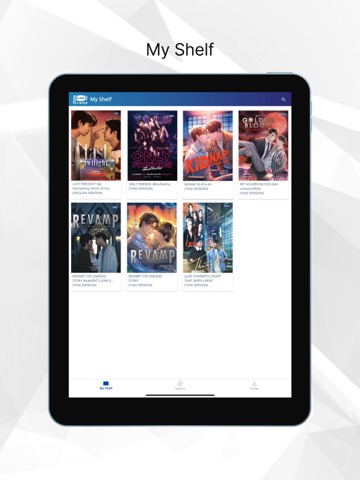
iPad screenshots




Icon palette
About this app
GMMTV e-BOOK แอปพลิเคชันสำหรับอ่านนิยายออนไลน์ ที่รวมนวนิยายที่คุณชื่นชอบจากซีรีส์ของ GMMTV พร้อมให้คุณอ่านได้ทุกที่ทุกเวลา ในรูปแบบ e-BOOK ที่สามารถดาวน์โหลดได้ทั้งสมาร์ทโฟน และ แท็บเล็ต ไม่ว่าจะอยู่ตรงไหน…ก็ฟินได้ในทุกเรื่องราว An online ebook application that brings together all your favorite novels from GMMTV series. Now you can read anytime, anywhere with the GMMTV e-BOOK app, available for download on your smartphone or tablet. Wherever you are… you can dive into the story and feel all the feels. Features: - รองรับไฟล์ ePUB & PDF - ปรับขนาดตัวอักษรและเลือกฟอนต์ได้ - โหมดการอ่านที่สามารถปรับแสงสว่างหน้าจอได้ - คั่นหนังสือ และ สารบัญเพื่อความสะดวกในการอ่านหน้าที่ค้างไว้ - มี progress bar ระบุหน้าที่อ่านค้างไว้ - ค้นหา e-BOOK ที่อยู่ใน My Shelf ได้รวดเร็ว - ePUB & PDF format support - Customizable font size and fonts - Adjustable screen brightness reading mode - Bookmarks and tab…
App details
What you can learn from GMMTV e-BOOK
Every shipping app on the App Store has gone through the same decisions you're working through right now: which screenshot goes first, what caption sits over it, which device frame to show, what color the background should be. The 12 screenshots above are GMMTV e-BOOK's answers to those questions — they're public, they're real, and they made it through Apple's review.
What the numbers say: GMMTV e-BOOK runs a light set where the background shifts from screenshot to screenshot (first shot #F4F4F4) — each image has to stand on its own, so the captions carry more of the story. The accent colour we picked up, #2C3C84, is the one to reuse for badges, arrows and highlighted words if you borrow this look. Hit Use this style to open the editor with these exact colours and drop your own screenshot in.
Notice the first screenshot in particular. It's the one users see in search results and on the product page, and it's where most apps spend their best caption and tightest design. Look at the proportion of background to phone, where the text sits, what one thing the image is trying to communicate.
Want to see how other Entertainment apps approach the same problem? Browse more Entertainment apps in the showcase.
Take what works into your own screenshots
Open LaunchShots and design your App Store & Google Play screenshots — pick a device frame, drop captions, ship in minutes. Free, in your browser.
Open the screenshot editor →Apps with a similar look
Closest background + accent colours among the listings we've analysed — useful when you want to see the same palette handled by a different team.