Chart position — tracked daily by LaunchShots
Screenshot style breakdown
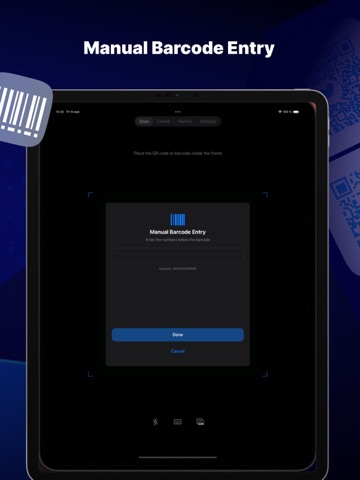
Sampled from 6 of QRコード&バーコード読み取り's App Store screenshots — background, accent and theme, measured by LaunchShots (not something Apple publishes).
#04040C bg
#27272E
#041C64 accent
#FFFFFF text
Reading the caption text from the screenshots in your browser…
Screenshots


iPad screenshots



Icon palette
About this app
スマートフォンを強力なQRコード・バーコードツールに。 素早くスキャンしたり、自分だけのQRコードを作成したり、日常で役立つ便利な機能が満載です。 Wi-Fi接続、リンクの共有、連絡先の保存、商品の検索など、このアプリがすべて簡単にしてくれます。 主な機能: • 高速かつ正確なQRコード・バーコードスキャン • Webサイト、メール、Wi-Fi、連絡先、WhatsAppなどに対応したカスタムQRコードの作成 • スキャンできない場合のバーコード手動入力 • Amazon、Walmart、Best Buyなどで商品を検索 • スキャン履歴・作成履歴の確認 • ダークモードとライトモード対応 • ワンタップでコードの保存・共有が可能 まずは無料でお試し アプリをダウンロードし、すべての機能を3日間の無料トライアルで体験してください(週単位のサブスクリプション)。 また、月間・年間プランもご利用いただけます。 スキャンも作成も、もっとスマートに。 サブスクリプションの詳細: • 3日間の無料トライアル付きの週額サブスクリプション • 月額および年額プランも利用可能 • 現在の…
App details
What you can learn from QRコード&バーコード読み取り
Every shipping app on the App Store has gone through the same decisions you're working through right now: which screenshot goes first, what caption sits over it, which device frame to show, what color the background should be. The 16 screenshots above are QRコード&バーコード読み取り's answers to those questions — they're public, they're real, and they made it through Apple's review.
What the numbers say: QRコード&バーコード読み取り runs a dark set where the background shifts from screenshot to screenshot (first shot #04040C) — each image has to stand on its own, so the captions carry more of the story. The accent colour we picked up, #041C64, is the one to reuse for badges, arrows and highlighted words if you borrow this look. Hit Use this style to open the editor with these exact colours and drop your own screenshot in.
Notice the first screenshot in particular. It's the one users see in search results and on the product page, and it's where most apps spend their best caption and tightest design. Look at the proportion of background to phone, where the text sits, what one thing the image is trying to communicate.
Want to see how other Utilities apps approach the same problem? Browse more Utilities apps in the showcase.
Take what works into your own screenshots
Open LaunchShots and design your App Store & Google Play screenshots — pick a device frame, drop captions, ship in minutes. Free, in your browser.
Open the screenshot editor →Apps with a similar look
Closest background + accent colours among the listings we've analysed — useful when you want to see the same palette handled by a different team.