Chart position — tracked daily by LaunchShots
Screenshot style breakdown
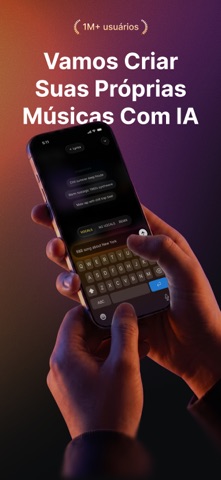
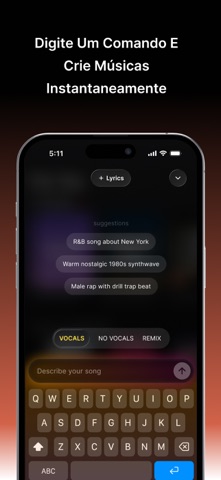
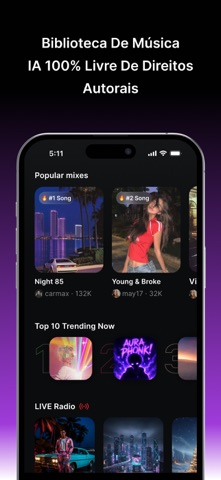
Sampled from 6 of MusicGPT – Gerador de Músicas's App Store screenshots — background, accent and theme, measured by LaunchShots (not something Apple publishes).
#0C0C0C bg
#2E2E2E
#54244C accent
#FFFFFF text
Screenshots



Icon palette
About this app
MusicGPT é o seu estúdio pessoal de criação musical potencializado por IA. Torne qualquer ideia em uma música completa (letras, vocais e instrumentais) e totalmente produzida em apenas alguns segundos. Seja você um amante da música, criador de conteúdo ou artista em formação, MusicGPT ajuda você a criar facilmente canções de qualidade profissional. Recursos-chave: Gerador de Músicas com IA Basta digitar um prompt ou conceito e deixar o MusicGPT transformá-lo em uma canção original inteira, com vocais realistas criados por IA e produção em diversos gêneros. Modelo de IA Customizado MusicGPT usa um modelo proprietário de inteligência artificial, especialmente treinado para gerar músicas e letras criativas de alta qualidade. Gerador de Letras Crie letras criativas, marcantes e relevantes instantaneamente. Deixe a IA escrever toda a canção ou ajudar você a desenvolver ideias verso a ve…
App details
What you can learn from MusicGPT – Gerador de Músicas
Every shipping app on the App Store has gone through the same decisions you're working through right now: which screenshot goes first, what caption sits over it, which device frame to show, what color the background should be. The 6 screenshots above are MusicGPT – Gerador de Músicas's answers to those questions — they're public, they're real, and they made it through Apple's review.
What the numbers say: MusicGPT – Gerador de Músicas runs a dark set with one background colour (#0C0C0C) carried across every screenshot — the listing reads as a single poster when the shots sit side by side in search results. The accent colour we picked up, #54244C, is the one to reuse for badges, arrows and highlighted words if you borrow this look. Hit Use this style to open the editor with these exact colours and drop your own screenshot in.
Notice the first screenshot in particular. It's the one users see in search results and on the product page, and it's where most apps spend their best caption and tightest design. Look at the proportion of background to phone, where the text sits, what one thing the image is trying to communicate.
Want to see how other Music apps approach the same problem? Browse more Music apps in the showcase.
Take what works into your own screenshots
Open LaunchShots and design your App Store & Google Play screenshots — pick a device frame, drop captions, ship in minutes. Free, in your browser.
Open the screenshot editor →Apps with a similar look
Closest background + accent colours among the listings we've analysed — useful when you want to see the same palette handled by a different team.