launchshots / showcase / games / wool crush™-escape traffic jam

Wool Crush™-Escape Traffic Jam

Games 4.9 (77,479) Free 4+ 365.2 MB

Chart position — tracked daily by LaunchShots

#68 of 100
Top Free Games · Russia
best #68 · 6 days tracked · as of Sep 10
— / 7d
#75 of 100
Top Free Games · Saudi Arabia
best #75 · 4 days tracked · as of Sep 15
▲ 7 / 7d
#91 of 100
Top Free Games · South Korea
best #91 · 1 day tracked · as of Sep 16
#93 of 100
Top Free Games · United States
best #82 · 4 days tracked · as of Sep 13
— / 7d
#96 of 100
Top Free Games · Indonesia
best #92 · 2 days tracked · as of Aug 26
— / 7d
+ 2 more charts

Screenshot changes — detected by LaunchShots

Aug 24, 2026
Wool Crush™-Escape Traffic Jam added 3 iPhone screenshots (7 → 10).

Screenshot style breakdown

Sampled from 6 of Wool Crush™-Escape Traffic Jam's App Store screenshots — background, accent and theme, measured by LaunchShots (not something Apple publishes).

Use this style →
10 iPhone screenshots · 10 iPad Light theme Background changes per screenshot
#F4CC8C bg #D6B37B #AC7454 accent #111111 text
vs. Games apps we've analysed (1777): 18% use a light theme — so does Wool Crush™-Escape Traffic Jam; 13% put the caption above the phone — Wool Crush™-Escape Traffic Jam uses no captions; the average set has 6.3 screenshots — Wool Crush™-Escape Traffic Jam ships 10. Full Games benchmark →

Screenshots

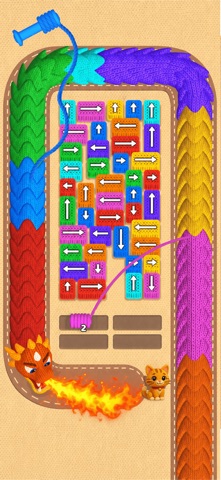
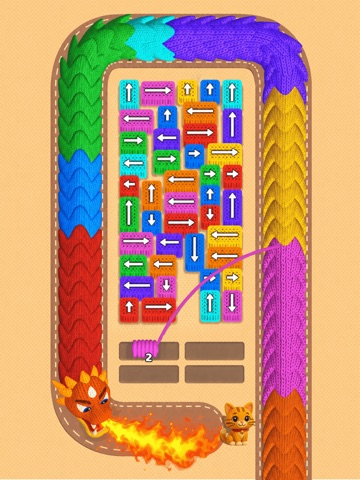
#1 Wool Crush™-Escape Traffic Jam iPhone screenshot 1
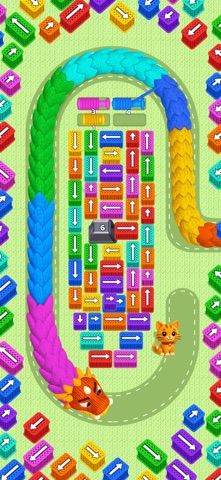
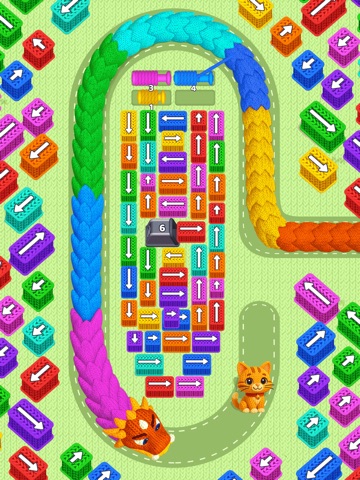
#2 Wool Crush™-Escape Traffic Jam iPhone screenshot 2
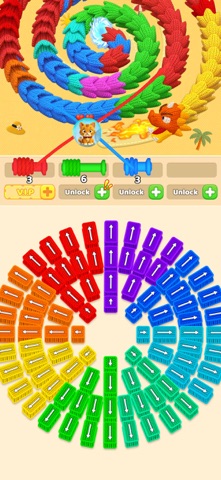
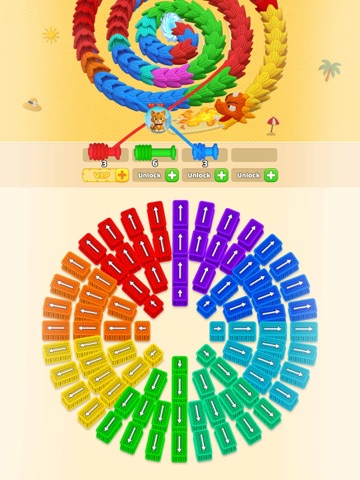
#3 Wool Crush™-Escape Traffic Jam iPhone screenshot 3
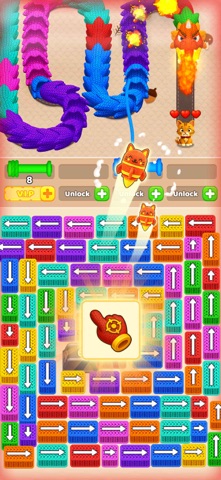
#4 Wool Crush™-Escape Traffic Jam iPhone screenshot 4
#5 Wool Crush™-Escape Traffic Jam iPhone screenshot 5
#6 Wool Crush™-Escape Traffic Jam iPhone screenshot 6
#7 Wool Crush™-Escape Traffic Jam iPhone screenshot 7
#8 Wool Crush™-Escape Traffic Jam iPhone screenshot 8
#9 Wool Crush™-Escape Traffic Jam iPhone screenshot 9
#10 Wool Crush™-Escape Traffic Jam iPhone screenshot 10

iPad screenshots

#1 Wool Crush™-Escape Traffic Jam iPad screenshot 1
#2 Wool Crush™-Escape Traffic Jam iPad screenshot 2
#3 Wool Crush™-Escape Traffic Jam iPad screenshot 3
#4 Wool Crush™-Escape Traffic Jam iPad screenshot 4
#5 Wool Crush™-Escape Traffic Jam iPad screenshot 5
#6 Wool Crush™-Escape Traffic Jam iPad screenshot 6
#7 Wool Crush™-Escape Traffic Jam iPad screenshot 7
#8 Wool Crush™-Escape Traffic Jam iPad screenshot 8
#9 Wool Crush™-Escape Traffic Jam iPad screenshot 9
#10 Wool Crush™-Escape Traffic Jam iPad screenshot 10

Icon palette

extracting…
Dominant colors sampled from the icon — click any swatch to copy the hex.

About this app

Ready for a Woolly Adventure? Jump into a new casual 3D puzzle! There’s cute yarn, a mischievous dragon, and exciting rescues! A colorful, naughty dragon is causing trouble, and a kitty needs your help! Solve the puzzle, clear the path, and become the ultimate Dragon Slayer! How to be a Dragon Slayer: Pick Your Cannon: Tap the right color! Show that dragon who’s boss! Target the Dragon: Blast away the matching colored blocks to slow it down. Save the Kitty: Repel the dragon and keep the cat safe! You’re the hero! Features: Exciting Fun: Fast-paced and super fun! Easy to Play: Simple controls, smooth gameplay! Satisfying: Save the day! Increasing Challenge: Get smarter! New Adventures: Rescues keep coming! Download now and start your colorful adventure! Let the puzzles begin!

App details

Bundle ID
com.bubble.buster.rescue
Latest version
5.3
Released
Apr 8, 2025
Last updated
Sep 7, 2026
Languages
15 (EN, FR, DE, IT, JA…)
Genres
Games, Puzzle, Casual

What you can learn from Wool Crush™-Escape Traffic Jam

Every shipping app on the App Store has gone through the same decisions you're working through right now: which screenshot goes first, what caption sits over it, which device frame to show, what color the background should be. The 20 screenshots above are Wool Crush™-Escape Traffic Jam's answers to those questions — they're public, they're real, and they made it through Apple's review.

What the numbers say: Wool Crush™-Escape Traffic Jam runs a light set where the background shifts from screenshot to screenshot (first shot #F4CC8C) — each image has to stand on its own, so the captions carry more of the story. The accent colour we picked up, #AC7454, is the one to reuse for badges, arrows and highlighted words if you borrow this look. Hit Use this style to open the editor with these exact colours and drop your own screenshot in.

Notice the first screenshot in particular. It's the one users see in search results and on the product page, and it's where most apps spend their best caption and tightest design. Look at the proportion of background to phone, where the text sits, what one thing the image is trying to communicate.

Want to see how other Games apps approach the same problem? Browse more Games apps in the showcase.

Take what works into your own screenshots

Open LaunchShots and design your App Store & Google Play screenshots — pick a device frame, drop captions, ship in minutes. Free, in your browser.

Open the screenshot editor →

Apps with a similar look

Closest background + accent colours among the listings we've analysed — useful when you want to see the same palette handled by a different team.

Colony Flow!
#FCCC8C #BC6C54
Cafe Life: Coffee Mania
#FCCC8C #A4845C
Festivoix de Trois-Rivieres
#FCCC8C #C49454
Aura Frames
#E4CC94 #B4846C
平安乐健康-平安健康保险
#FCBC84 #AC846C
Real Kendang
#FCC494 #9C5C3C

More Games apps

Latest from the blog

Guides
Using Device Frames in App Store Screenshots Responsibly
Sep 21, 2026
News
iOS Release Season Checklist: Update Your App Store Listing for iOS 17
Sep 20, 2026
ASO
Writing an App Store Description People Finish Reading
Sep 19, 2026
Guides
iPad Screenshots: When and How to Design Once for All
Sep 18, 2026
1 / 1
copied