Chart position — tracked daily by LaunchShots
Screenshot style breakdown
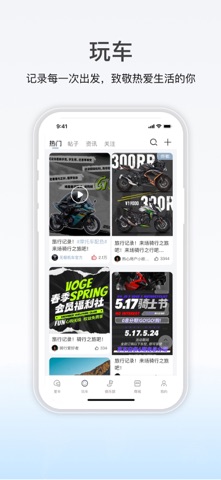
Sampled from 3 of 无极机车's App Store screenshots — background, accent and theme, measured by LaunchShots (not something Apple publishes).
#F4F4FC bg
#D6D6DD
#3C646C accent
#111111 text
Screenshots


Icon palette
About this app
您的爱车智控中心 & 摩友专属天地 引擎轰鸣,唤醒自由之心!无极机车APP,专为VOGER极客骑士打造,是您探索世界的智能伙伴与摩友聚集地。 【掌控爱车,如臂使指】 实时数据,尽在掌握: 精准查看车辆位置、里程、油量/电量、胎压等核心数据,骑行状态一目了然。 远程控车,自在随心: 无惧距离,远程解锁/上锁车辆,告别钥匙束缚,享受便捷科技骑行。 状态监测,安心无忧: 贴心车辆健康诊断,异常状态及时提醒,助您提前规划维保,畅行无忧。 【连接同道,共享热爱】 摩友动态,精彩纷呈: 发布您的骑行故事、爱车美照、旅途见闻,与全国无极骑士分享每一公里精彩。 社群部落,归属之地: 加入活跃的俱乐部与兴趣社群,结识志同道合的伙伴,组队骑行、交流心得,归属感满格。 活动先知,激情汇聚: 第一时间获取无极官方骑行活动、品牌盛会、粉丝福利信息,不错过每一次点燃热情的机会。 无极机车APP,不止是工具,更是骑士的生活方式! 立即下载,开启您的智能骑行与激情社群之旅!
App details
What you can learn from 无极机车
Every shipping app on the App Store has gone through the same decisions you're working through right now: which screenshot goes first, what caption sits over it, which device frame to show, what color the background should be. The 3 screenshots above are 无极机车's answers to those questions — they're public, they're real, and they made it through Apple's review.
What the numbers say: 无极机车 runs a light set with one background colour (#F4F4FC) carried across every screenshot — the listing reads as a single poster when the shots sit side by side in search results. The accent colour we picked up, #3C646C, is the one to reuse for badges, arrows and highlighted words if you borrow this look. Hit Use this style to open the editor with these exact colours and drop your own screenshot in.
Notice the first screenshot in particular. It's the one users see in search results and on the product page, and it's where most apps spend their best caption and tightest design. Look at the proportion of background to phone, where the text sits, what one thing the image is trying to communicate.
Want to see how other Navigation apps approach the same problem? Browse more Navigation apps in the showcase.
Take what works into your own screenshots
Open LaunchShots and design your App Store & Google Play screenshots — pick a device frame, drop captions, ship in minutes. Free, in your browser.
Open the screenshot editor →Apps with a similar look
Closest background + accent colours among the listings we've analysed — useful when you want to see the same palette handled by a different team.