Chart position — tracked daily by LaunchShots
Screenshot style breakdown
Sampled from 6 of PETPET - Chăm sóc thú cưng's App Store screenshots — background, accent and theme, measured by LaunchShots (not something Apple publishes).
#FCD41C bg
#DDBA18
#FCEC84 accent
#111111 text
Screenshots


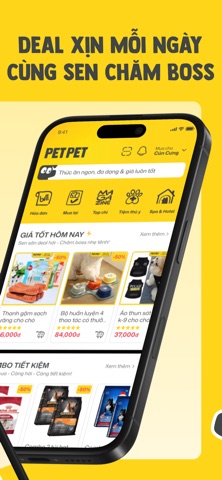
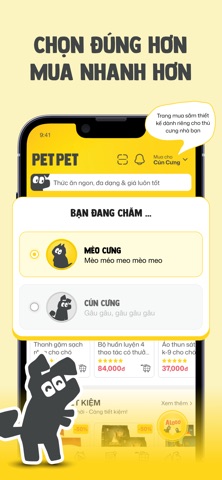
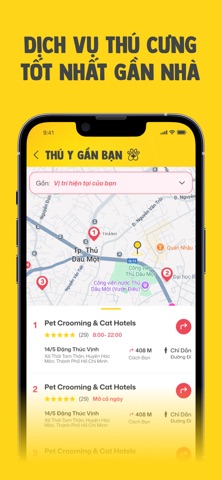
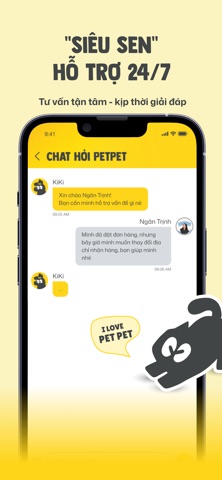
Icon palette
About this app
Công Ty Cổ Phần Pet Pet là chuỗi siêu thị bán lẻ thức ăn và đồ dùng thú cưng hàng đầu tại Việt Nam, được thành lập bởi đội ngũ tâm huyết với sứ mệnh nâng tầm chất lượng sống cho thú cưng. Pet Pet cung cấp danh mục sản phẩm cao cấp, đa dạng và phù hợp theo từng giống loài, độ tuổi, tình trạng sức khỏe, đáp ứng toàn diện nhu cầu dinh dưỡng, vui chơi, vệ sinh và nghỉ ngơi. Chúng tôi cam kết hàng hóa chính hãng, tiêu chuẩn chất lượng nghiêm ngặt, giá minh bạch cùng dịch vụ tư vấn tận tâm và trải nghiệm mua sắm tiện lợi tại hệ thống cửa hàng và kênh trực tuyến.
App details
What you can learn from PETPET - Chăm sóc thú cưng
Every shipping app on the App Store has gone through the same decisions you're working through right now: which screenshot goes first, what caption sits over it, which device frame to show, what color the background should be. The 6 screenshots above are PETPET - Chăm sóc thú cưng's answers to those questions — they're public, they're real, and they made it through Apple's review.
What the numbers say: PETPET - Chăm sóc thú cưng runs a light set where the background shifts from screenshot to screenshot (first shot #FCD41C) — each image has to stand on its own, so the captions carry more of the story. The accent colour we picked up, #FCEC84, is the one to reuse for badges, arrows and highlighted words if you borrow this look. Hit Use this style to open the editor with these exact colours and drop your own screenshot in.
Notice the first screenshot in particular. It's the one users see in search results and on the product page, and it's where most apps spend their best caption and tightest design. Look at the proportion of background to phone, where the text sits, what one thing the image is trying to communicate.
Want to see how other Shopping apps approach the same problem? Browse more Shopping apps in the showcase.
Take what works into your own screenshots
Open LaunchShots and design your App Store & Google Play screenshots — pick a device frame, drop captions, ship in minutes. Free, in your browser.
Open the screenshot editor →Apps with a similar look
Closest background + accent colours among the listings we've analysed — useful when you want to see the same palette handled by a different team.