Chart position — tracked daily by LaunchShots
Screenshot changes — detected by LaunchShots
Screenshot style breakdown
Sampled from 5 of 突突's App Store screenshots — background, accent and theme, measured by LaunchShots (not something Apple publishes).
#FCFCFC bg
#DDDDDD
#9CFCAC accent
#111111 text
Screenshots


Icon palette
About this app
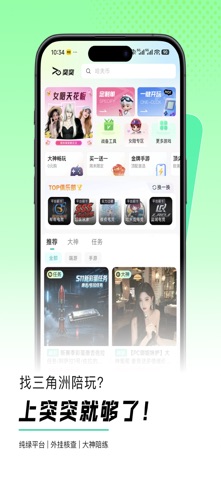
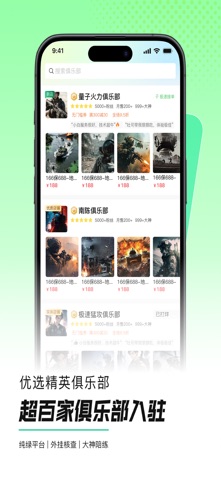
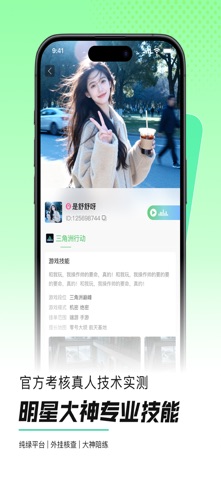
找游戏陪玩,上突突APP就够了! 《突突》是一款专注于电竞游戏陪玩的服务平台,包含《三角洲行动》《英雄联盟》《永劫无间》《瓦罗兰特》《绝地求生》等多款热门精品游戏,为玩家们提供电竞游戏陪玩与组队开黑服务。平台内集合了数百家陪玩俱乐部,致力于为游戏玩家提供一个安全、快捷、绿色的电竞游戏陪玩服务环境。我们打破了游戏玩家、俱乐部与技术大神三方之间的沟通壁垒,通过对俱乐部进行统一规范管理、即时在线沟通、支付安全保障和售后专业回访,构建起电竞游戏陪玩一站式服务流程,不仅维护了安全绿色的游戏环境,更有效解决了电竞游戏陪玩服务中的信任缺失与服务混乱问题。 「严考核」每一位都经过真人技术实测、外挂检测、平台与俱乐部双重考核,严选技术大佬; 「反作弊」平台与俱乐部双重查挂,并上线平台保障计划,联合俱乐部推出双保政策,开挂即赔; 「真福利」新人注册福利券;[洲洲好礼]每周抽豪礼;新客专享大神体验单; 《突突》不止是电竞游戏陪玩平台,更是电竞游戏陪玩绿色生态的守护者! ---优选俱乐部资源:超百家俱乐部入驻,提升…
App details
What you can learn from 突突
Every shipping app on the App Store has gone through the same decisions you're working through right now: which screenshot goes first, what caption sits over it, which device frame to show, what color the background should be. The 5 screenshots above are 突突's answers to those questions — they're public, they're real, and they made it through Apple's review.
What the numbers say: 突突 runs a light set with one background colour (#FCFCFC) carried across every screenshot — the listing reads as a single poster when the shots sit side by side in search results. The accent colour we picked up, #9CFCAC, is the one to reuse for badges, arrows and highlighted words if you borrow this look. Hit Use this style to open the editor with these exact colours and drop your own screenshot in.
Notice the first screenshot in particular. It's the one users see in search results and on the product page, and it's where most apps spend their best caption and tightest design. Look at the proportion of background to phone, where the text sits, what one thing the image is trying to communicate.
Want to see how other Shopping apps approach the same problem? Browse more Shopping apps in the showcase.
Take what works into your own screenshots
Open LaunchShots and design your App Store & Google Play screenshots — pick a device frame, drop captions, ship in minutes. Free, in your browser.
Open the screenshot editor →Apps with a similar look
Closest background + accent colours among the listings we've analysed — useful when you want to see the same palette handled by a different team.