Screenshot changes — detected by LaunchShots
Screenshot style breakdown
Sampled from 6 of Tân Võ Lâm Gigantic's App Store screenshots — background, accent and theme, measured by LaunchShots (not something Apple publishes).
#E4DCAC bg
#C8C197
#847454 accent
#111111 text
Screenshots


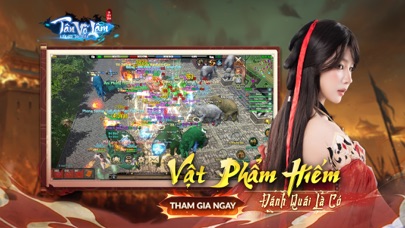

iPad screenshots


Icon palette
About this app
TÂN VÕ LÂM - TRUYỀN KỲ TÁI KHỞI Tân Võ Lâm là phiên bản Võ Lâm mới được phát triển theo hướng hiện đại, giữ tinh thần giang hồ quen thuộc nhưng nâng cấp toàn diện về hệ thống và trải nghiệm. Trò chơi xây dựng lối chơi cày cuốc rõ ràng, đề cao quá trình phát triển nhân vật lâu dài. Người chơi yêu thích phong cách cày cuốc chiến thuật sẽ tìm thấy chiều sâu trong từng hoạt động. Đây là môi trường phù hợp cho cộng đồng đam mê cày cuốc bền vững và cạnh tranh công bằng. BẢN ĐỒ RỘNG LỚN – TỐI ƯU ĐA NỀN TẢNG Thế giới rộng lớn với nhiều khu vực liên thông, tự do khám phá và giao thương. Trò chơi được tối ưu vận hành trên đa nền tảng, đảm bảo hiệu năng ổn định. Hệ thống kỹ năng và hoạt động được đồng bộ trên đa nền tảng, giúp người chơi linh hoạt trải nghiệm. Tân Võ Lâm tiếp tục mở rộng hỗ trợ đa nền tảng để phù hợp xu hướng công nghệ hiện nay. THẬP ĐẠI MÔN PHÁI Mười môn phái với bộ kỹ năng đ…
App details
What you can learn from Tân Võ Lâm Gigantic
Every shipping app on the App Store has gone through the same decisions you're working through right now: which screenshot goes first, what caption sits over it, which device frame to show, what color the background should be. The 12 screenshots above are Tân Võ Lâm Gigantic's answers to those questions — they're public, they're real, and they made it through Apple's review.
What the numbers say: Tân Võ Lâm Gigantic runs a mixed light-and-dark set where the background shifts from screenshot to screenshot (first shot #E4DCAC) — each image has to stand on its own, so the captions carry more of the story. The accent colour we picked up, #847454, is the one to reuse for badges, arrows and highlighted words if you borrow this look. Hit Use this style to open the editor with these exact colours and drop your own screenshot in.
Notice the first screenshot in particular. It's the one users see in search results and on the product page, and it's where most apps spend their best caption and tightest design. Look at the proportion of background to phone, where the text sits, what one thing the image is trying to communicate.
Want to see how other Games apps approach the same problem? Browse more Games apps in the showcase.
Take what works into your own screenshots
Open LaunchShots and design your App Store & Google Play screenshots — pick a device frame, drop captions, ship in minutes. Free, in your browser.
Open the screenshot editor →Apps with a similar look
Closest background + accent colours among the listings we've analysed — useful when you want to see the same palette handled by a different team.