Chart position — tracked daily by LaunchShots
Screenshot changes — detected by LaunchShots
Screenshot style breakdown
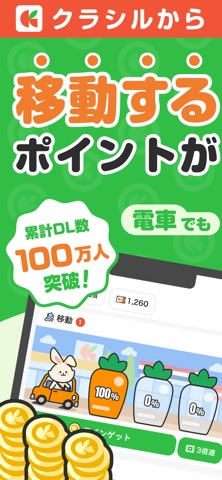
Sampled from 6 of うさポ by クラシル's App Store screenshots — background, accent and theme, measured by LaunchShots (not something Apple publishes).
#34BC44 bg
#2DA53B
#F45434 accent
#111111 text
Screenshots


Icon palette
About this app
「クラシル」「レシチャレ」を手がけるクラシル株式会社から、 新アプリ「うさポ」が登場! 「うさポ」とは うさポは、いつもの移動でポイントがたまるお得なアプリです。 移動距離や時間経過、ゲームプレイに応じてアプリ内のコインを獲得し、ためたコインは様々な特典(他社ポイント・デジタルギフト・電子マネーなど)と交換することができます。 コインが"たまる" - 移動距離に応じてゲージがたまります。 - 時間経過に応じてゲージがたまります。 - ゲームプレイに応じてコインがたまります。 - ためたゲージをタップするとコインを回収することができます。 ※移動ゲージを貯めるには「位置情報の許諾」が必要です。 ためたコインは"特典と交換" - 様々な他社ポイント・デジタルギフト・電子マネーなどと交換可能 (Amazonギフト券、楽天ポイント、Tマネー、dポイント、Pontaポイント、nanacoポイント) - 近くのコンビニで使えるコーヒーやアイスの引換券とも交換可能 ※お問い合わせは、アプリ内「マイページ」の「ヘルプ」よりお願いいたします。
App details
What you can learn from うさポ by クラシル
Every shipping app on the App Store has gone through the same decisions you're working through right now: which screenshot goes first, what caption sits over it, which device frame to show, what color the background should be. The 6 screenshots above are うさポ by クラシル's answers to those questions — they're public, they're real, and they made it through Apple's review.
What the numbers say: うさポ by クラシル runs a light set where the background shifts from screenshot to screenshot (first shot #34BC44) — each image has to stand on its own, so the captions carry more of the story. The accent colour we picked up, #F45434, is the one to reuse for badges, arrows and highlighted words if you borrow this look. Hit Use this style to open the editor with these exact colours and drop your own screenshot in.
Notice the first screenshot in particular. It's the one users see in search results and on the product page, and it's where most apps spend their best caption and tightest design. Look at the proportion of background to phone, where the text sits, what one thing the image is trying to communicate.
Want to see how other Lifestyle apps approach the same problem? Browse more Lifestyle apps in the showcase.
Take what works into your own screenshots
Open LaunchShots and design your App Store & Google Play screenshots — pick a device frame, drop captions, ship in minutes. Free, in your browser.
Open the screenshot editor →Apps with a similar look
Closest background + accent colours among the listings we've analysed — useful when you want to see the same palette handled by a different team.