Screenshot changes — detected by LaunchShots
Screenshot style breakdown
Sampled from 6 of Peppar: Kaloriräknare med AI's App Store screenshots — background, accent and theme, measured by LaunchShots (not something Apple publishes).
#7C2C24 bg
#8E4942
#C4544C accent
#FFFFFF text
Screenshots





iPad screenshots






Icon palette
About this app
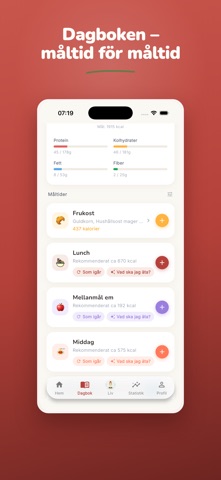
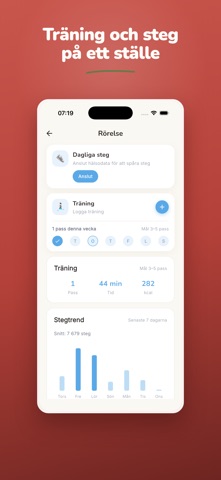
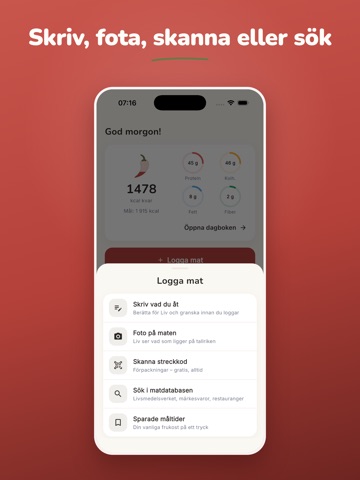
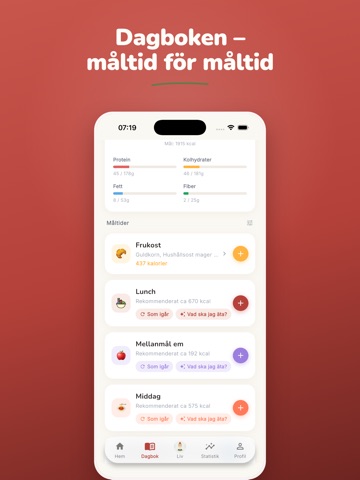
Vad peppar dig? Muskler, viktnedgång, mer energi – eller bara koll på vardagen? Peppar gör kaloriräkning enkelt OCH peppande. Byggd för dig som äter ungefär samma sak varje dag och vill ha koll utan att pilla med varje måltid. MÖT LIV – DIN EGEN KOSTCOACH Liv känner till din dag. Fråga om middagsidéer, hur du ligger till mot dina mål eller dina makros – och logga en hel måltid med ett meddelande eller ett foto. Pepp och svar precis när du behöver dem. (Ingår i Peppar Pro.) SNABB LOGGNING FÖR RUTINÄTARE • Spara dina vanliga måltider en gång – lägg till dem igen med ett tryck • Dina vanligaste och senaste livsmedel alltid överst • Logga gårdagens middag som dagens lunch på ett par sekunder • Skanna streckkod, ta ett foto eller beskriv med ord – Peppar räknar resten LOGGAS AUTOMATISKT – VARJE DAG Kaffet på morgonen, mjölken i gröten, kreatinet. Sätt upp dina dagliga vanor en gång, sen b…
App details
What you can learn from Peppar: Kaloriräknare med AI
Every shipping app on the App Store has gone through the same decisions you're working through right now: which screenshot goes first, what caption sits over it, which device frame to show, what color the background should be. The 18 screenshots above are Peppar: Kaloriräknare med AI's answers to those questions — they're public, they're real, and they made it through Apple's review.
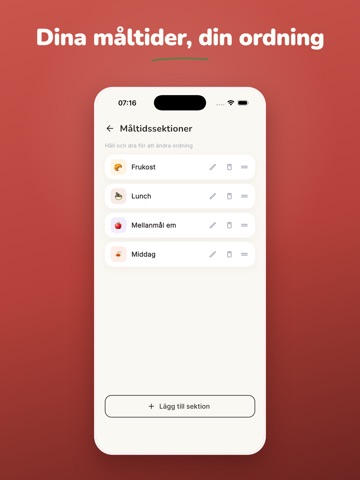
What the numbers say: Peppar: Kaloriräknare med AI runs a dark set with one background colour (#7C2C24) carried across every screenshot — the listing reads as a single poster when the shots sit side by side in search results. The accent colour we picked up, #C4544C, is the one to reuse for badges, arrows and highlighted words if you borrow this look. Hit Use this style to open the editor with these exact colours and drop your own screenshot in.
Notice the first screenshot in particular. It's the one users see in search results and on the product page, and it's where most apps spend their best caption and tightest design. Look at the proportion of background to phone, where the text sits, what one thing the image is trying to communicate.
Want to see how other Health & Fitness apps approach the same problem? Browse more Health & Fitness apps in the showcase.
Take what works into your own screenshots
Open LaunchShots and design your App Store & Google Play screenshots — pick a device frame, drop captions, ship in minutes. Free, in your browser.
Open the screenshot editor →Apps with a similar look
Closest background + accent colours among the listings we've analysed — useful when you want to see the same palette handled by a different team.