Screenshots

Icon palette
About this app
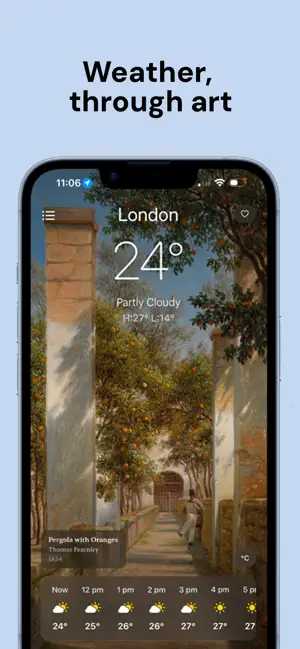
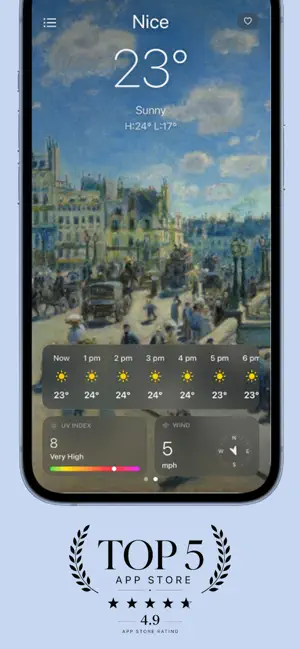
As tempestuous as Turner, vivid as Van Gogh and kaleidoscopic as Kandinsky, the weather has always been a work of art. Every Cloud transforms the daily forecast into a curated gallery of paintings, prints, lithographs, sketches, etches and tapestries — each one carefully chosen to reflect the mood beyond your window. * Carefully curated collections span styles, movements and eras, from Romantic storms to Impressionist haze. * Travel to distant skies with a single swipe. * A tap hides the forecast from sight, so you can fall into the full breadth of the artwork and simply experience the day. * Become a collector through curating private galleries of your favourite works and weathered moments. * Calm by design, the app honours privacy: tracking, accounts and unnecessary noise is not our style. In an age of generated images, we’re proud to only feature artworks made by human hands - p…
App details
What you can learn from Every Cloud: Weather by Art
Every shipping app on the App Store has gone through the same decisions you're working through right now: which screenshot goes first, what caption sits over it, which device frame to show, what color the background should be. The 3 screenshots above are Every Cloud: Weather by Art's answers to those questions — they're public, they're real, and they made it through Apple's review.
Notice the first screenshot in particular. It's the one users see in search results and on the product page, and it's where most apps spend their best caption and tightest design. Look at the proportion of background to phone, where the text sits, what one thing the image is trying to communicate.
Want to see how other Weather apps approach the same problem? Browse more Weather apps in the showcase.
Take what works into your own screenshots
Open LaunchShots and design your App Store & Google Play screenshots — pick a device frame, drop captions, ship in minutes. Free, in your browser.
Open the screenshot editor →