Screenshots
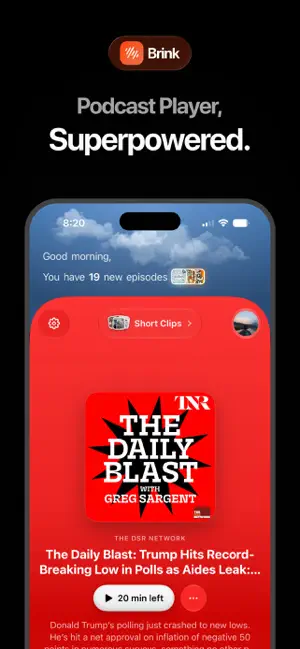
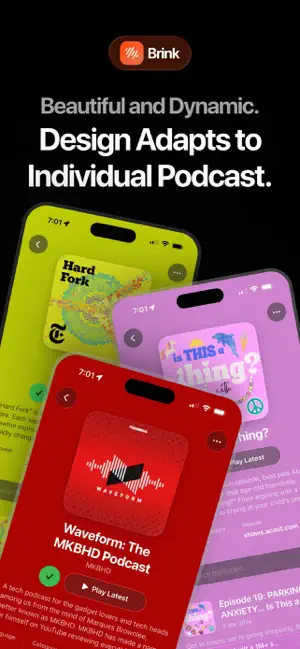


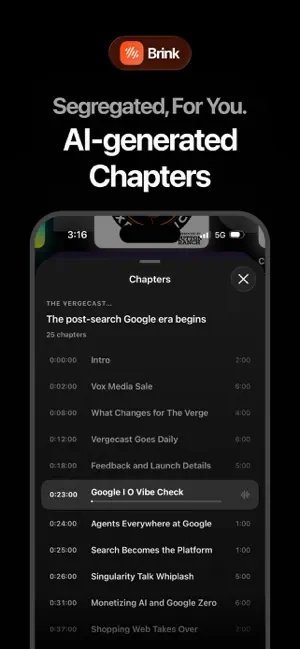
Icon palette
About this app
Brink is a podcast player and news app for people who want discovery, playback, and headlines in one place, wrapped in a modern Liquid Glass design. With Brink, you can: - Discover trending podcasts and personalized recommendations - Enjoy smooth playback with queueing and progress sync - Get AI generates transcripts and chapters of podcasts - Get latest news updated from across the world. - Save key moments with timestamped bookmarks and notes - Walking mode enables you to view calories your burned while listening to podcasts - Build your listening flow by mood and interests - Continue right where you left off across your library Brink combines powerful podcast features with a clean, fluid Liquid Glass UI that feels fast, focused, and premium. Terms of use: https://www.apple.com/legal/internet-services/itunes/dev/stdeula/
App details
What you can learn from Brink: Podcasts and News
Every shipping app on the App Store has gone through the same decisions you're working through right now: which screenshot goes first, what caption sits over it, which device frame to show, what color the background should be. The 6 screenshots above are Brink: Podcasts and News's answers to those questions — they're public, they're real, and they made it through Apple's review.
Notice the first screenshot in particular. It's the one users see in search results and on the product page, and it's where most apps spend their best caption and tightest design. Look at the proportion of background to phone, where the text sits, what one thing the image is trying to communicate.
Want to see how other News apps approach the same problem? Browse more News apps in the showcase.
Take what works into your own screenshots
Open LaunchShots and design your App Store & Google Play screenshots — pick a device frame, drop captions, ship in minutes. Free, in your browser.
Open the screenshot editor →