Screenshot changes — detected by LaunchShots
Screenshot style breakdown
Sampled from 6 of KPSS Soru Bankası & Haritalar's App Store screenshots — background, accent and theme, measured by LaunchShots (not something Apple publishes).
#0C142C bg
#2E3449
#94143C accent
#FFFFFF text
- #1< Soru Bankası Hangi dersten test çözmek istersin?
- #201:09 HAH < 9 o Soru 6 /10
- #318:11 HAH < 9 o Soru 8/8
- #4SEN COGRAFYA 8 2 5
- #513:22 HH sen TARIH 2/5
- #6< Dünya Haritası A
Captions read from the screenshots (OCR, may contain small errors): 6 headlines, 6.2 words on average (longest 8).
Screenshots


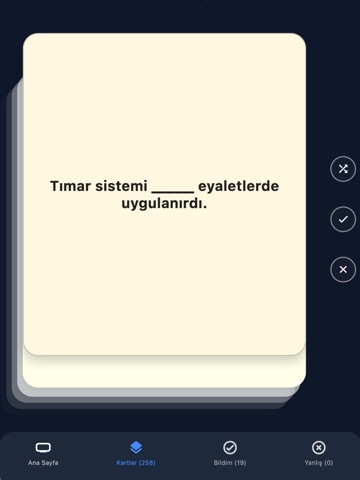
iPad screenshots




Icon palette
About this app
KPSS Hazırlığında Yeni Nesil Deneyim Renly KPSS, sınava hazırlık sürecini ezbere dayalı tekrardan çıkarıp; interaktif haritalar, akıllı soru bankası ve gerçek zamanlı düello sistemiyle öğrenmeyi kalıcı hale getiren modern bir çalışma uygulamasıdır. Konu Bankası Tarih, Coğrafya, Türkçe ve Matematik başlıkları altında kategorize edilmiş yüzlerce soru seni bekliyor. Her soru; detaylı açıklaması, mantık kurgusu ve sık hata yapılan noktalarıyla birlikte sunulur. İnteraktif Haritalar Türkiye'yi ve dünyayı keşfet: • Osmanlı Fetih Haritası — hangi padişah, hangi şehri ne zaman aldı? • Kurtuluş Savaşı Cepheleri — her cephenin hikayesi haritada • Selçuklular & Türk Beylikleri — Anadolu'nun dönüşümü • 7 Coğrafi Bölge, İklim, Akarsular, Dağlar, Fiziki Harita • 81 İl Haritası — her ile tıkla, coğrafya ve tarihi öğren • Dünya Haritası — 200+ ülke, başkentler ve Osmanlı'nın hükmettiği coğrafya Aka…
App details
What you can learn from KPSS Soru Bankası & Haritalar
Every shipping app on the App Store has gone through the same decisions you're working through right now: which screenshot goes first, what caption sits over it, which device frame to show, what color the background should be. The 20 screenshots above are KPSS Soru Bankası & Haritalar's answers to those questions — they're public, they're real, and they made it through Apple's review.
What the numbers say: KPSS Soru Bankası & Haritalar runs a dark set with one background colour (#0C142C) carried across every screenshot — the listing reads as a single poster when the shots sit side by side in search results. The accent colour we picked up, #94143C, is the one to reuse for badges, arrows and highlighted words if you borrow this look. Hit Use this style to open the editor with these exact colours and drop your own screenshot in.
Notice the first screenshot in particular. It's the one users see in search results and on the product page, and it's where most apps spend their best caption and tightest design. Look at the proportion of background to phone, where the text sits, what one thing the image is trying to communicate.
Want to see how other Education apps approach the same problem? Browse more Education apps in the showcase.
Take what works into your own screenshots
Open LaunchShots and design your App Store & Google Play screenshots — pick a device frame, drop captions, ship in minutes. Free, in your browser.
Open the screenshot editor →Apps with a similar look
Closest background + accent colours among the listings we've analysed — useful when you want to see the same palette handled by a different team.