Chart position — tracked daily by LaunchShots
Screenshot changes — detected by LaunchShots
Screenshot style breakdown
Sampled from 4 of 小茄畅读 全本小说大全阅读器电子书看书言情玄幻影视原著追书's App Store screenshots — background, accent and theme, measured by LaunchShots (not something Apple publishes).
#ECECE4 bg
#CFCFC8
#AC7464 accent
#111111 text
Screenshots
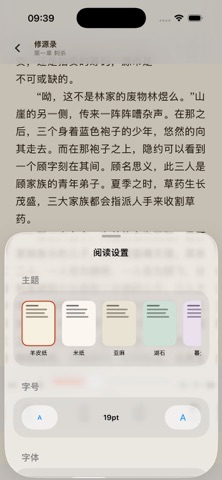


iPad screenshots


Icon palette
About this app
打开小茄畅读,开启一场不被打扰的小说之旅。 【海量分类,逛书如逛街】 言情、玄幻、仙侠、都市、科幻、青春、修真、穿越——多频道、多分类、热门排行实时更新。 【沉浸翻页,怎么舒服怎么读】 • 卷曲翻页、滑动、淡入、上下滚动,四种翻页方式自由切换 • 字号、行距、边距、字体随心调 • 多套护眼配色,深夜阅读不刺眼 【智能追更,看书省心】 • 一键加入书架,新章节自动跟进 • 章节预加载,下一章秒开 • 阅读进度自动保存,关掉再开秒回上次位置 【极速稳定】 • 多线路智能切换,单线故障不影响阅读 • 章节本地缓存,弱网环境也能翻页 • 启动毫秒级,告别加载等待 【尊重隐私】 不强制登录,不索取通讯录与位置,阅读记录仅保存在本机。
App details
What you can learn from 小茄畅读 全本小说大全阅读器电子书看书言情玄幻影视原著追书
Every shipping app on the App Store has gone through the same decisions you're working through right now: which screenshot goes first, what caption sits over it, which device frame to show, what color the background should be. The 8 screenshots above are 小茄畅读 全本小说大全阅读器电子书看书言情玄幻影视原著追书's answers to those questions — they're public, they're real, and they made it through Apple's review.
What the numbers say: 小茄畅读 全本小说大全阅读器电子书看书言情玄幻影视原著追书 runs a light set with one background colour (#ECECE4) carried across every screenshot — the listing reads as a single poster when the shots sit side by side in search results. The accent colour we picked up, #AC7464, is the one to reuse for badges, arrows and highlighted words if you borrow this look. Hit Use this style to open the editor with these exact colours and drop your own screenshot in.
Notice the first screenshot in particular. It's the one users see in search results and on the product page, and it's where most apps spend their best caption and tightest design. Look at the proportion of background to phone, where the text sits, what one thing the image is trying to communicate.
Want to see how other Book apps approach the same problem? Browse more Book apps in the showcase.
Take what works into your own screenshots
Open LaunchShots and design your App Store & Google Play screenshots — pick a device frame, drop captions, ship in minutes. Free, in your browser.
Open the screenshot editor →Apps with a similar look
Closest background + accent colours among the listings we've analysed — useful when you want to see the same palette handled by a different team.