Screenshots

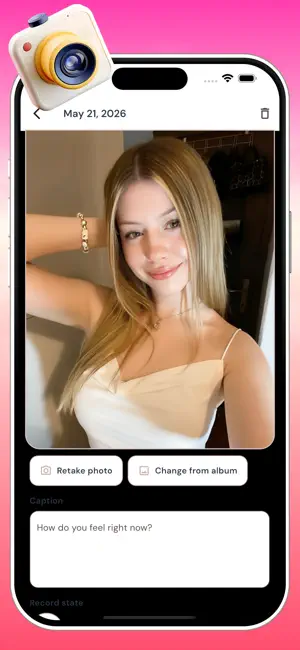
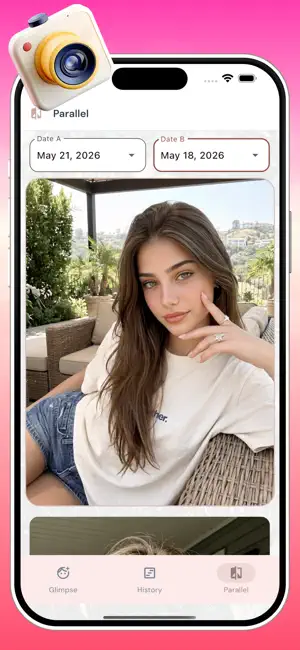
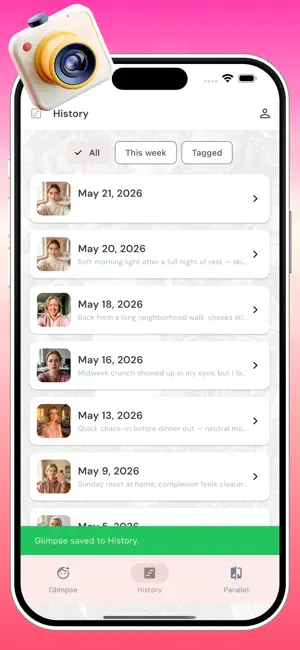
Icon palette
About this app
Juxa is your private mirror journal for mood and appearance—not a social feed. Take a front-camera selfie, tag how you feel, add a short caption, and optionally record a voice note describing your state. Everything stays on your device. Glimpse — Log today’s portrait in seconds with mood and appearance chips, text, and voice. Thread — Browse every past entry chronologically; open any glimpse to view photos, play voice memos, or save a shareable card to Photos. Parallel — Pick two dates and compare selfies and notes side by side, then export a comparison collage when you want a keepsake. Privacy: photos, audio, and notes are stored locally. Review our in-app Privacy Policy and Terms of Service before use.
App details
What you can learn from Juxa
Every shipping app on the App Store has gone through the same decisions you're working through right now: which screenshot goes first, what caption sits over it, which device frame to show, what color the background should be. The 4 screenshots above are Juxa's answers to those questions — they're public, they're real, and they made it through Apple's review.
Notice the first screenshot in particular. It's the one users see in search results and on the product page, and it's where most apps spend their best caption and tightest design. Look at the proportion of background to phone, where the text sits, what one thing the image is trying to communicate.
Want to see how other Graphics & Design apps approach the same problem? Browse more Graphics & Design apps in the showcase.
Take what works into your own screenshots
Open LaunchShots and design your App Store & Google Play screenshots — pick a device frame, drop captions, ship in minutes. Free, in your browser.
Open the screenshot editor →