Screenshot style breakdown
Sampled from 6 of PhotoColors - A wonderful life's App Store screenshots — background, accent and theme, measured by LaunchShots (not something Apple publishes).
#5C8C5C bg
#729C72
#FCEC8C accent
#FFFFFF text
Screenshots

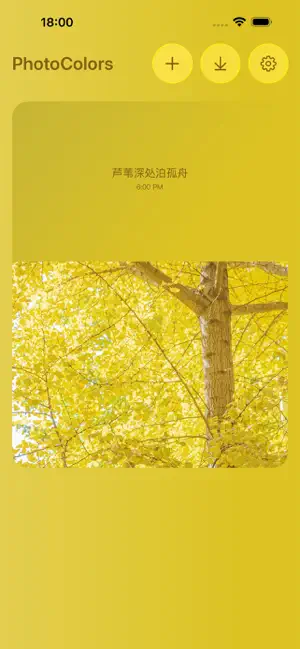
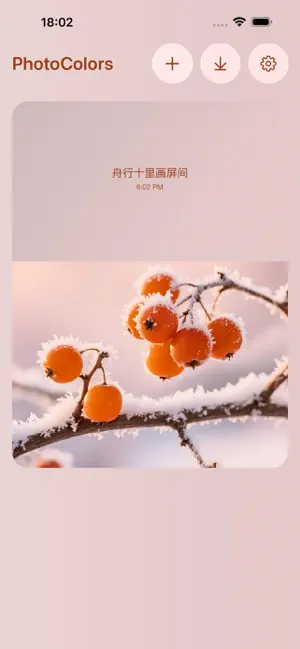


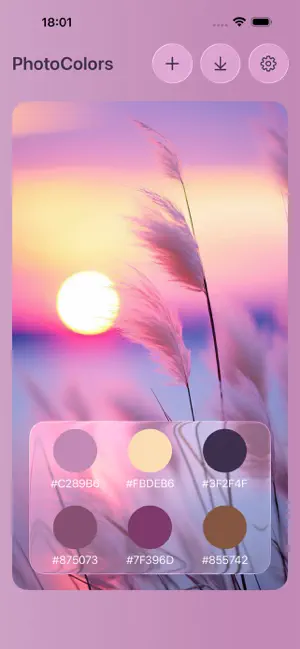
Icon palette
About this app
照片一键取色导出 HEX 色卡,智能排版社交封面,气泡印章制作艺术卡片。 核心功能: 【琉璃色盘】 上传图片自动提取主色调,生成 HEX 色值,将照片做成配色分析海报,快速提升画面质感,轻松赋予画面色彩格调与故事氛围感。 【灵动卡片】 依托图片配色智能搭配版式、字体与留白,自动载入拍摄时间、地点,文字可自定义,一键生成朋友圈笔记封面,零基础轻松排版。帮你快速解决想分享却不会排版的难题。 【气泡印章】 特色气泡印章模板,添加通透自然的有机气泡元素,轻松打造氛围感艺术卡片。一键叠加印章特效,快速打造小众艺术风卡片,轻松跳出普通排版模板,让你的分享配图别致独特。 功能亮点 智能取色|一键导出标准 HEX 色码 智能排版|秒出社交平台精美封面 气泡特效|创意印章,打造艺术配图 信息编辑|自定义时间地点文案 便捷导出|成品一键分享社交平台 会员订阅 会员开通后即时生效,订阅费用将从绑定支付渠道自动扣款。自动续费默认开启,如需取消可在账户设置内关闭,当期权益不受影响。已购会员时长正…
App details
What you can learn from PhotoColors - A wonderful life
Every shipping app on the App Store has gone through the same decisions you're working through right now: which screenshot goes first, what caption sits over it, which device frame to show, what color the background should be. The 6 screenshots above are PhotoColors - A wonderful life's answers to those questions — they're public, they're real, and they made it through Apple's review.
What the numbers say: PhotoColors - A wonderful life runs a mixed light-and-dark set where the background shifts from screenshot to screenshot (first shot #5C8C5C) — each image has to stand on its own, so the captions carry more of the story. The accent colour we picked up, #FCEC8C, is the one to reuse for badges, arrows and highlighted words if you borrow this look. Hit Use this style to open the editor with these exact colours and drop your own screenshot in.
Notice the first screenshot in particular. It's the one users see in search results and on the product page, and it's where most apps spend their best caption and tightest design. Look at the proportion of background to phone, where the text sits, what one thing the image is trying to communicate.
Want to see how other Productivity apps approach the same problem? Browse more Productivity apps in the showcase.
Take what works into your own screenshots
Open LaunchShots and design your App Store & Google Play screenshots — pick a device frame, drop captions, ship in minutes. Free, in your browser.
Open the screenshot editor →Apps with a similar look
Closest background + accent colours among the listings we've analysed — useful when you want to see the same palette handled by a different team.