Chart position — tracked daily by LaunchShots
Screenshot style breakdown
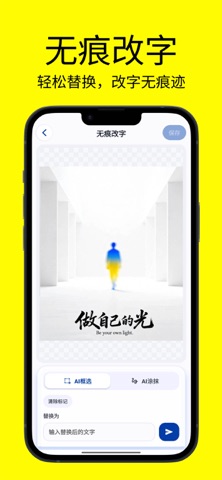
Sampled from 6 of 改字修图王 - 修改更换字体p图神器's App Store screenshots — background, accent and theme, measured by LaunchShots (not something Apple publishes).
#FCFC04 bg
#DDDD03
#B4B41C accent
#111111 text
Screenshots


Icon palette
About this app
改字修图王是一款专注图片文字修改的实用工具。它的核心能力很简单:帮你把图片上的文字完美的替换。 App还内置了智能抠图、照片修复、无损放大、拼图、图片压缩等一系列图片处理功能,基本上你日常遇到的图片修改需求,这一个就够了。 核心功能 无痕改字——文字替换,不留破绽 这是本品的核心能力。图片里的数字写错了、名字打错了、日期需要更新、发给客户的截图里有不该出现的信息……你只需要选中想要修改的文字,输入新的内容,字体颜色和背景自动融合,改完看不出任何修改痕迹。不用打开电脑,不用找人帮忙P图,手机上几秒钟就能搞定。 智能抠图——人像主体一秒分离 想把照片里的人单独抠出来换背景、做证件照、做头像?不用描边,不用放大一点点修,点一下就能把主体分离出来。发丝边缘精准处理,边缘干净不毛糙。 无损放大——糊图变清晰 收到的截图分辨率太低、老照片放大全是马赛克?无损放大能把清晰度拉上去,放大好几倍照样看得清细节,直接拿去打印都够用。 拼图——多张图完美合为一张 聊天记录太长截了好几屏、旅游照片想拼成一张长图发朋友圈、工作…
App details
What you can learn from 改字修图王 - 修改更换字体p图神器
Every shipping app on the App Store has gone through the same decisions you're working through right now: which screenshot goes first, what caption sits over it, which device frame to show, what color the background should be. The 6 screenshots above are 改字修图王 - 修改更换字体p图神器's answers to those questions — they're public, they're real, and they made it through Apple's review.
What the numbers say: 改字修图王 - 修改更换字体p图神器 runs a light set with one background colour (#FCFC04) carried across every screenshot — the listing reads as a single poster when the shots sit side by side in search results. The accent colour we picked up, #B4B41C, is the one to reuse for badges, arrows and highlighted words if you borrow this look. Hit Use this style to open the editor with these exact colours and drop your own screenshot in.
Notice the first screenshot in particular. It's the one users see in search results and on the product page, and it's where most apps spend their best caption and tightest design. Look at the proportion of background to phone, where the text sits, what one thing the image is trying to communicate.
Want to see how other Graphics & Design apps approach the same problem? Browse more Graphics & Design apps in the showcase.
Take what works into your own screenshots
Open LaunchShots and design your App Store & Google Play screenshots — pick a device frame, drop captions, ship in minutes. Free, in your browser.
Open the screenshot editor →Apps with a similar look
Closest background + accent colours among the listings we've analysed — useful when you want to see the same palette handled by a different team.