Chart position — tracked daily by LaunchShots
Screenshot changes — detected by LaunchShots
Screenshot style breakdown
Sampled from 4 of ChoCho: Y2K,波点,拼贴's App Store screenshots — background, accent and theme, measured by LaunchShots (not something Apple publishes).
#FCFCFC bg
#DDDDDD
#74D4EC accent
#111111 text
Screenshots


Icon palette
About this app
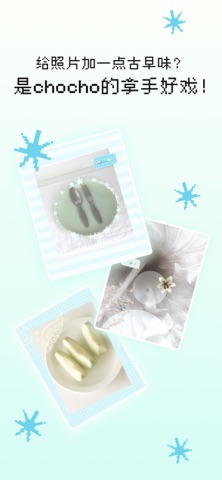
chocho 是一个很轻的古早味波点拼贴工具 上传一张照片,加一点 y2k 感的波点、贴纸、和柔软的背景,就可以把日常照片变成充满古早味波点和拼贴的 plog 图。 经过精心打磨,参数的存在感在chocho里变得很淡。选照片,换背景,点一点波点,抽一个随机效果,一张有手帐感、soft core 氛围的图片就做好了。 它适合用来做日常 plog、头像、分享图、相册封面,或仅仅是享受创作的过程而已。 在 chocho 里,你会嗅到满满的古早味。 把照片放进来,因为chocho需要更多波点。
App details
What you can learn from ChoCho: Y2K,波点,拼贴
Every shipping app on the App Store has gone through the same decisions you're working through right now: which screenshot goes first, what caption sits over it, which device frame to show, what color the background should be. The 4 screenshots above are ChoCho: Y2K,波点,拼贴's answers to those questions — they're public, they're real, and they made it through Apple's review.
What the numbers say: ChoCho: Y2K,波点,拼贴 runs a light set with one background colour (#FCFCFC) carried across every screenshot — the listing reads as a single poster when the shots sit side by side in search results. The accent colour we picked up, #74D4EC, is the one to reuse for badges, arrows and highlighted words if you borrow this look. Hit Use this style to open the editor with these exact colours and drop your own screenshot in.
Notice the first screenshot in particular. It's the one users see in search results and on the product page, and it's where most apps spend their best caption and tightest design. Look at the proportion of background to phone, where the text sits, what one thing the image is trying to communicate.
Want to see how other Photo & Video apps approach the same problem? Browse more Photo & Video apps in the showcase.
Take what works into your own screenshots
Open LaunchShots and design your App Store & Google Play screenshots — pick a device frame, drop captions, ship in minutes. Free, in your browser.
Open the screenshot editor →Apps with a similar look
Closest background + accent colours among the listings we've analysed — useful when you want to see the same palette handled by a different team.