Chart position — tracked daily by LaunchShots
Screenshot style breakdown
Sampled from 6 of Tomati: Tariflerini Kaydet's App Store screenshots — background, accent and theme, measured by LaunchShots (not something Apple publishes).
#FCFCF4 bg
#DDDDD6
#E4543C accent
#111111 text
Reading the caption text from the screenshots in your browser…
Screenshots


Icon palette
About this app
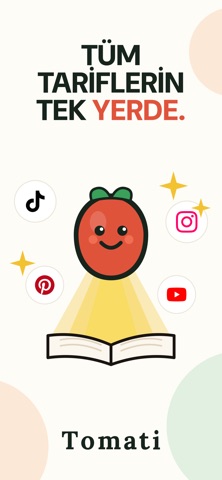
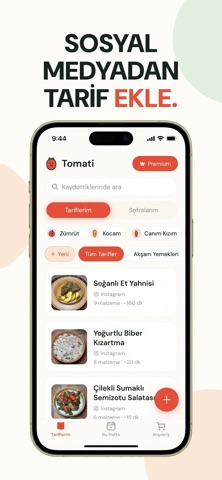
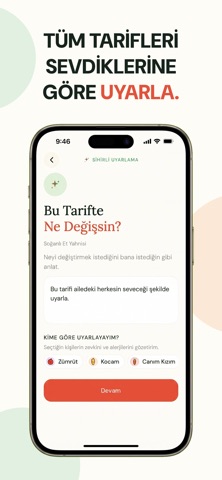
Instagram, TikTok, YouTube ve daha fazlasından tarifleri saniyeler içinde kaydet. Tomati, sosyal medyada gördüğün her tarifi düzenli bir deftere dönüştürür; sihirle sana özel tarifler oluşturur, menünü planlar, alışveriş listeni otomatik çıkarır. Bir daha hiçbir tarifi kaybetme. Üstelik mutfakta ne yapacağını artık Tomati biliyor. SİHİRLİ ÖZELLİKLER • Ne pişsem? – Aklındakini ya da dolabında olanları yaz, Tomati sana uygun tarifi anında oluştursun. "Akşama tavuklu, pratik bir şey" demen yeterli. • Kişiye özel tarifler – Senin ve ailenin damak tadına göre tarifler. Eşinin sevmediklerini, çocuğunun alerjisini, takip ettiğin beslenme biçimini bilir; tarifleri buna göre hazırlar. • Sihirli haftalık menü – Tek dokunuşla, sana ve sevdiklerine uygun bütün bir haftalık menü oluştur. NELER YAPABİLİRSİN? • Sosyal medyadan tarif kaydet – Instagram, TikTok, YouTube, Facebook ve Pinterest'teki …
App details
What you can learn from Tomati: Tariflerini Kaydet
Every shipping app on the App Store has gone through the same decisions you're working through right now: which screenshot goes first, what caption sits over it, which device frame to show, what color the background should be. The 6 screenshots above are Tomati: Tariflerini Kaydet's answers to those questions — they're public, they're real, and they made it through Apple's review.
What the numbers say: Tomati: Tariflerini Kaydet runs a light set with one background colour (#FCFCF4) carried across every screenshot — the listing reads as a single poster when the shots sit side by side in search results. The accent colour we picked up, #E4543C, is the one to reuse for badges, arrows and highlighted words if you borrow this look. Hit Use this style to open the editor with these exact colours and drop your own screenshot in.
Notice the first screenshot in particular. It's the one users see in search results and on the product page, and it's where most apps spend their best caption and tightest design. Look at the proportion of background to phone, where the text sits, what one thing the image is trying to communicate.
Want to see how other Food & Drink apps approach the same problem? Browse more Food & Drink apps in the showcase.
Take what works into your own screenshots
Open LaunchShots and design your App Store & Google Play screenshots — pick a device frame, drop captions, ship in minutes. Free, in your browser.
Open the screenshot editor →Apps with a similar look
Closest background + accent colours among the listings we've analysed — useful when you want to see the same palette handled by a different team.