Chart position — tracked daily by LaunchShots
Screenshot style breakdown
Sampled from 5 of シンプルPython's App Store screenshots — background, accent and theme, measured by LaunchShots (not something Apple publishes).
#24A44C bg
#42B065
#8CDCA4 accent
#FFFFFF text
Screenshots
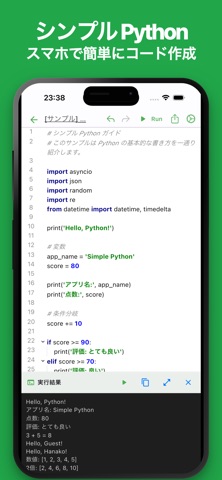
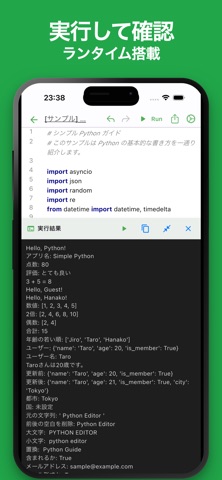
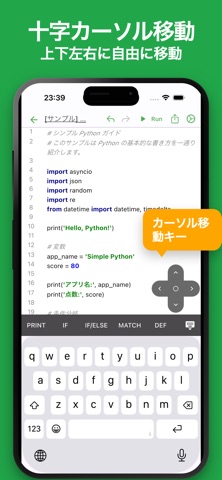

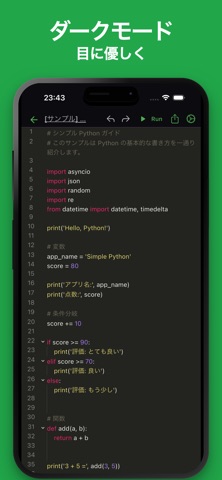
iPad screenshots

Icon palette
About this app
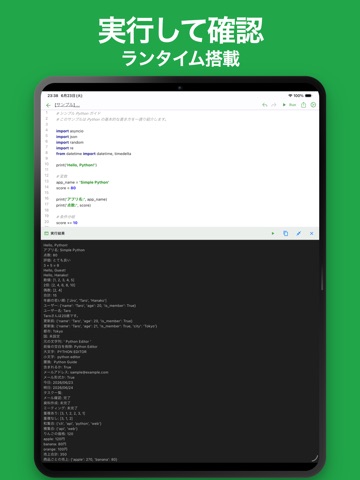
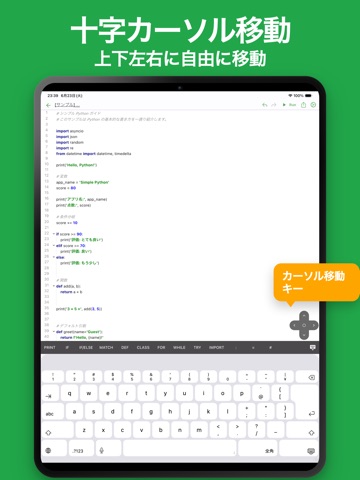
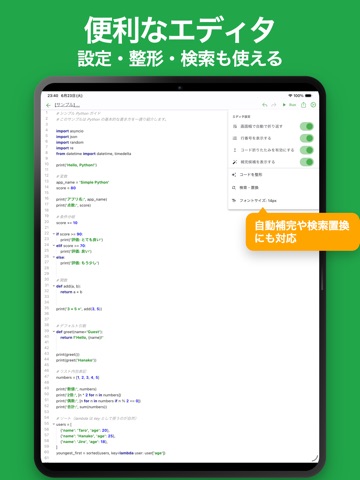
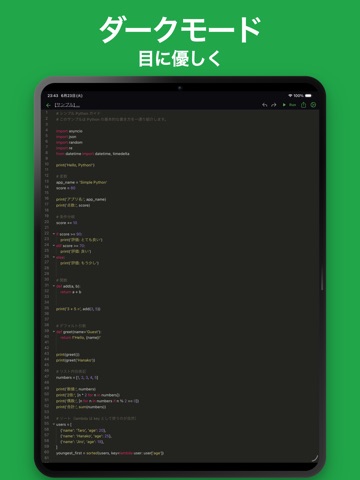
「外出先でも Python のコードを試したい」 そう思ったことはありませんか? このアプリは、スマートフォン上で Python を編集・実行できるシンプルなコードエディタです。 シンタックスハイライトに対応した高機能なコードエディタを搭載し、作成した Python をその場ですぐに実行できます。 Python の学習から実践的なコード作成まで幅広く活用できます。 次のような場面に使われています。 * Python の学習 * プログラミング学習 * アルゴリズムの学習 * コードの動作確認 * サンプルコードの検証 * Pythonのメモ帳 * スクリプト作成 * 関数のテスト * データ処理の基礎学習 * 自動化の基礎学習 * 技術ブログ用のコード作成 * 勉強会や研修での演習 * プロトタイプ作成 * コードスニペット管理 * アイデアの試作 * 開発中の簡易検証環境 この他にも Python を利用するさまざまな用途で活用できます。 Python の編集や実行を行いたい場合は、ぜひ一度お試しください。 ■ 特徴 ・直感的な操作性 シンプルな機能こそ使いやすさが最も重要です。 さくさく動作し…
App details
What you can learn from シンプルPython
Every shipping app on the App Store has gone through the same decisions you're working through right now: which screenshot goes first, what caption sits over it, which device frame to show, what color the background should be. The 10 screenshots above are シンプルPython's answers to those questions — they're public, they're real, and they made it through Apple's review.
What the numbers say: シンプルPython runs a dark set with one background colour (#24A44C) carried across every screenshot — the listing reads as a single poster when the shots sit side by side in search results. The accent colour we picked up, #8CDCA4, is the one to reuse for badges, arrows and highlighted words if you borrow this look. Hit Use this style to open the editor with these exact colours and drop your own screenshot in.
Notice the first screenshot in particular. It's the one users see in search results and on the product page, and it's where most apps spend their best caption and tightest design. Look at the proportion of background to phone, where the text sits, what one thing the image is trying to communicate.
Want to see how other Developer Tools apps approach the same problem? Browse more Developer Tools apps in the showcase.
Take what works into your own screenshots
Open LaunchShots and design your App Store & Google Play screenshots — pick a device frame, drop captions, ship in minutes. Free, in your browser.
Open the screenshot editor →Apps with a similar look
Closest background + accent colours among the listings we've analysed — useful when you want to see the same palette handled by a different team.