Screenshot changes — detected by LaunchShots
Screenshot style breakdown
Sampled from 6 of Strikt: Allenati e gareggia's App Store screenshots — background, accent and theme, measured by LaunchShots (not something Apple publishes).
#FCECDC bg
#DDCFC1
#C49C74 accent
#111111 text
Screenshots


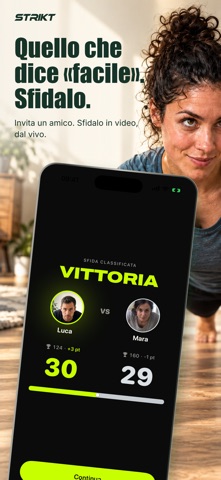
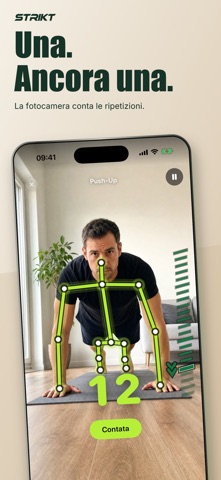


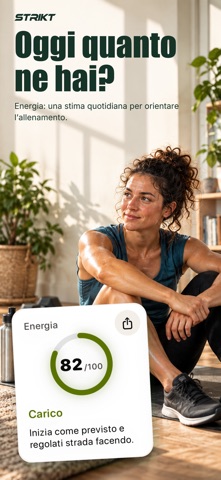
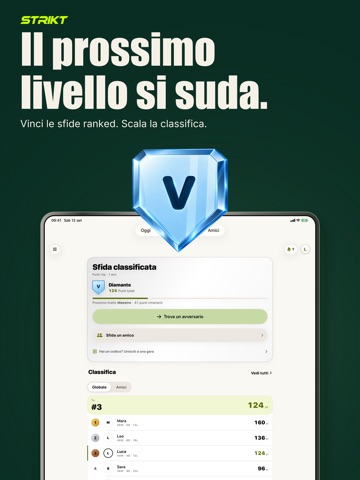
iPad screenshots




Icon palette
About this app
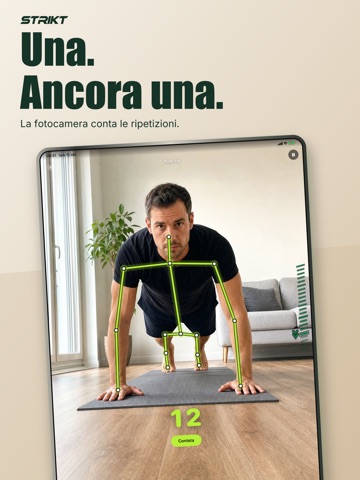
Allenati con un coach basato sulla fotocamera che ti aiuta a capire meglio ogni serie. Appoggia il tuo iPhone o iPad, entra nell'inquadratura e inizia. Strikt conta in tempo reale gli esercizi supportati e mostra indicazioni sulla tecnica quando la fotocamera ha dati sufficienti. L'analisi della posa avviene sul dispositivo. COACH CON FOTOCAMERA, SENZA MANI • Conteggio live delle ripetizioni per i movimenti a corpo libero supportati. • Indicazioni su profondità, ampiezza e controllo quando il segnale è chiaro. • Se Strikt non può valutare il movimento in modo affidabile, lo comunica invece di inventare un punteggio. ALLENATI CON UN PROGRAMMA • Crea una settimana basata su obiettivi, esperienza, giorni disponibili, durata, focus e limitazioni. • Apri ogni sessione guidata dal mini calendario e vedi l'elenco esatto dei movimenti. • I fondamentali utili ritornano, così i progressi resta…
App details
What you can learn from Strikt: Allenati e gareggia
Every shipping app on the App Store has gone through the same decisions you're working through right now: which screenshot goes first, what caption sits over it, which device frame to show, what color the background should be. The 14 screenshots above are Strikt: Allenati e gareggia's answers to those questions — they're public, they're real, and they made it through Apple's review.
What the numbers say: Strikt: Allenati e gareggia runs a mixed light-and-dark set where the background shifts from screenshot to screenshot (first shot #FCECDC) — each image has to stand on its own, so the captions carry more of the story. The accent colour we picked up, #C49C74, is the one to reuse for badges, arrows and highlighted words if you borrow this look. Hit Use this style to open the editor with these exact colours and drop your own screenshot in.
Notice the first screenshot in particular. It's the one users see in search results and on the product page, and it's where most apps spend their best caption and tightest design. Look at the proportion of background to phone, where the text sits, what one thing the image is trying to communicate.
Want to see how other Health & Fitness apps approach the same problem? Browse more Health & Fitness apps in the showcase.
Take what works into your own screenshots
Open LaunchShots and design your App Store & Google Play screenshots — pick a device frame, drop captions, ship in minutes. Free, in your browser.
Open the screenshot editor →Apps with a similar look
Closest background + accent colours among the listings we've analysed — useful when you want to see the same palette handled by a different team.