Chart position — tracked daily by LaunchShots
Screenshot changes — detected by LaunchShots
Screenshot style breakdown
Sampled from 6 of 拼豆大师 - Pixel Bead Master's App Store screenshots — background, accent and theme, measured by LaunchShots (not something Apple publishes).
#FCFCFC bg
#DDDDDD
#1C74F4 accent
#111111 text
Screenshots





iPad screenshots


Icon palette
About this app
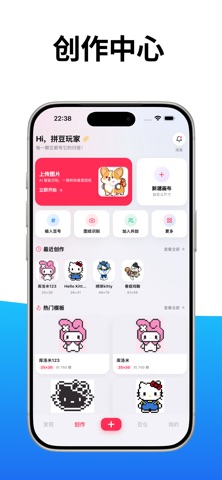
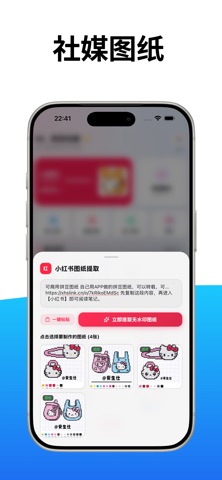
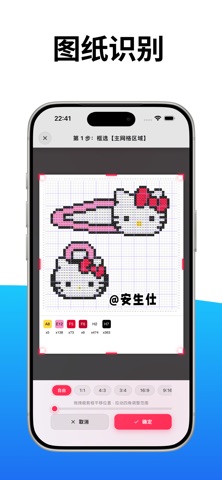
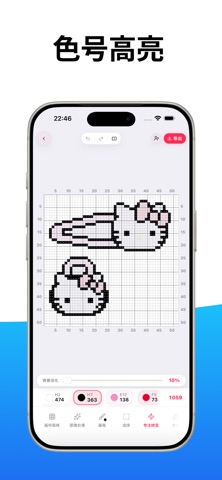
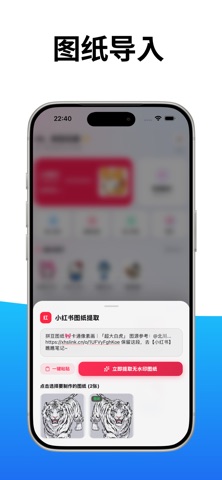
将任何照片、插画或头像一秒转换为高清拼豆图纸!Pixel Bead Master 是一款专为拼豆手作爱好者、像素画创作者量身打造的高效工具。 无论是桌面小摆件、发夹钥匙扣,还是大型多拼板画作,都能精准还原细节并自动匹配真实色号,让拼豆创作更简单、更有趣。 ◆ 核心功能 ◆ • 智能转图生成器 支持任意图片快速转为拼豆图纸,自由调节颗粒精度、网格大小与色彩对比度,完美适配标准方形与异形拼豆板。 • 精确品牌色号对照 内置主流拼豆品牌(漫漫/Artkal、蔻豆/Perler、Hama、美珠等)官方色卡,色号数字精准对应,告别肉眼挑豆色差。 • 智能算豆与备料清单 生成图纸即刻统计总颗数与各色号详细用量,用多少买多少,彻底解决中途缺豆困扰。 • 逐行拼豆对位与高亮定位 自带点位对齐辅助与高反差缩放视图;点击特定色号即可全屏高亮所有同色颗粒,拼豆不串行、不漏拼。 • 链接提取与灵感导入 支持从小红书等社交平台链接一键导入图片并快速转图,全网优秀灵感秒变专属图纸。 • 像素画板精细编辑 内置点笔、橡皮擦、油漆桶等逐像素微调工具,随心修图、改色与二次创作…
App details
What you can learn from 拼豆大师 - Pixel Bead Master
Every shipping app on the App Store has gone through the same decisions you're working through right now: which screenshot goes first, what caption sits over it, which device frame to show, what color the background should be. The 13 screenshots above are 拼豆大师 - Pixel Bead Master's answers to those questions — they're public, they're real, and they made it through Apple's review.
What the numbers say: 拼豆大师 - Pixel Bead Master runs a light set with one background colour (#FCFCFC) carried across every screenshot — the listing reads as a single poster when the shots sit side by side in search results. The accent colour we picked up, #1C74F4, is the one to reuse for badges, arrows and highlighted words if you borrow this look. Hit Use this style to open the editor with these exact colours and drop your own screenshot in.
Notice the first screenshot in particular. It's the one users see in search results and on the product page, and it's where most apps spend their best caption and tightest design. Look at the proportion of background to phone, where the text sits, what one thing the image is trying to communicate.
Want to see how other Graphics & Design apps approach the same problem? Browse more Graphics & Design apps in the showcase.
Take what works into your own screenshots
Open LaunchShots and design your App Store & Google Play screenshots — pick a device frame, drop captions, ship in minutes. Free, in your browser.
Open the screenshot editor →Apps with a similar look
Closest background + accent colours among the listings we've analysed — useful when you want to see the same palette handled by a different team.