Chart position — tracked daily by LaunchShots
Screenshot style breakdown
Sampled from 4 of 想。点! (Think & Tap!)'s App Store screenshots — background, accent and theme, measured by LaunchShots (not something Apple publishes).
#7C7474 bg
#8E8787
#6C4C24 accent
#FFFFFF text
Screenshots


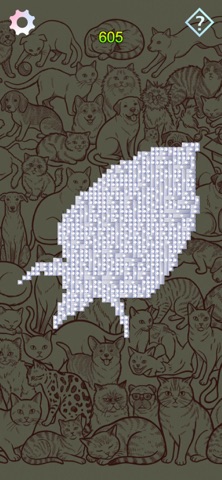
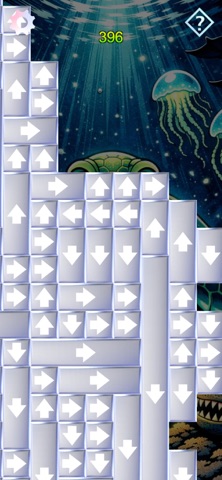
iPad screenshots


Icon palette
About this app
欢迎来到 "想。点!" (Think & Tap!) 这是一款专为挑战逻辑思维、提升脑力而设计的益智游戏。如果您喜欢方块消除、逻辑解谜以及空间思维挑战,这款烧脑游戏将是您的最佳选择。 做好准备,转动大脑,规划好您的每一步,清空所有方块! 游戏特色: 点击消除方块:只需轻触带有箭头标记的磁砖,即可让它们飞出萤幕。操作简单直观,能为您带来极具成就感的畅快消除体验。 规划每一步策略:每一步移动都至关重要。事先思考,找出最消除顺序。 征服每一道困难:不断挑战自我,解锁全新的烧脑关卡,成为名副其实的解谜大师。 无论您是想利用十分钟的碎片时间放松娱乐,还是想在晚上进行深度的大脑训练,Think & Tap!都能完美满足您的需求,让您在放松的同时锻炼思维。 立即下载 "想。点!" (Think & Tap!) ,看看您能闯过多少关!
App details
What you can learn from 想。点! (Think & Tap!)
Every shipping app on the App Store has gone through the same decisions you're working through right now: which screenshot goes first, what caption sits over it, which device frame to show, what color the background should be. The 8 screenshots above are 想。点! (Think & Tap!)'s answers to those questions — they're public, they're real, and they made it through Apple's review.
What the numbers say: 想。点! (Think & Tap!) runs a mixed light-and-dark set where the background shifts from screenshot to screenshot (first shot #7C7474) — each image has to stand on its own, so the captions carry more of the story. The accent colour we picked up, #6C4C24, is the one to reuse for badges, arrows and highlighted words if you borrow this look. Hit Use this style to open the editor with these exact colours and drop your own screenshot in.
Notice the first screenshot in particular. It's the one users see in search results and on the product page, and it's where most apps spend their best caption and tightest design. Look at the proportion of background to phone, where the text sits, what one thing the image is trying to communicate.
Want to see how other Games apps approach the same problem? Browse more Games apps in the showcase.
Take what works into your own screenshots
Open LaunchShots and design your App Store & Google Play screenshots — pick a device frame, drop captions, ship in minutes. Free, in your browser.
Open the screenshot editor →Apps with a similar look
Closest background + accent colours among the listings we've analysed — useful when you want to see the same palette handled by a different team.