Screenshot style breakdown
Sampled from 5 of 一键应用锁 - 专注&应用控制's App Store screenshots — background, accent and theme, measured by LaunchShots (not something Apple publishes).
#54BCFC bg
#49A5DD
#FCCC04 accent
#111111 text
Screenshots


Icon palette
About this app
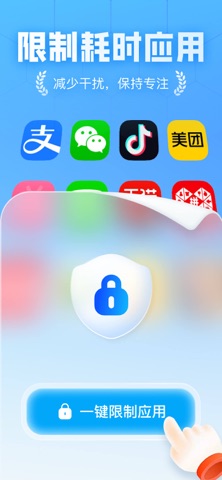
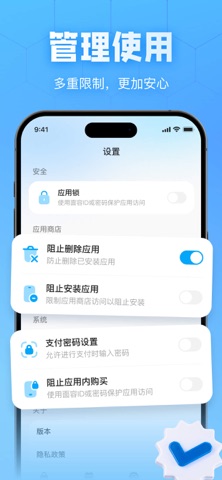
「一键应用锁」帮助你减少耗时应用带来的干扰,更专注地学习、工作和休息。 选择短视频、游戏、社交等应用,设置专注时长或使用计划,即可在指定时间内限制打开,减少无意识使用手机。 主要功能: · 批量选择并限制耗时应用 · 设置学习、工作、睡眠等专注计划 · 查看今日及本周专注时长 · 管理应用安装、删除及应用内购买 · 帮助青少年养成健康的手机使用习惯 部分功能需要订阅后使用。订阅将自动续订,如需取消,请至少在当前订阅期结束前24小时操作。 用户协议:https://docs.qq.com/doc/DVURJSmNHZHV3Q3BL 隐私协议:https://docs.qq.com/doc/DVXFHcXF2aEF1WENi
App details
What you can learn from 一键应用锁 - 专注&应用控制
Every shipping app on the App Store has gone through the same decisions you're working through right now: which screenshot goes first, what caption sits over it, which device frame to show, what color the background should be. The 5 screenshots above are 一键应用锁 - 专注&应用控制's answers to those questions — they're public, they're real, and they made it through Apple's review.
What the numbers say: 一键应用锁 - 专注&应用控制 runs a light set with one background colour (#54BCFC) carried across every screenshot — the listing reads as a single poster when the shots sit side by side in search results. The accent colour we picked up, #FCCC04, is the one to reuse for badges, arrows and highlighted words if you borrow this look. Hit Use this style to open the editor with these exact colours and drop your own screenshot in.
Notice the first screenshot in particular. It's the one users see in search results and on the product page, and it's where most apps spend their best caption and tightest design. Look at the proportion of background to phone, where the text sits, what one thing the image is trying to communicate.
Want to see how other Productivity apps approach the same problem? Browse more Productivity apps in the showcase.
Take what works into your own screenshots
Open LaunchShots and design your App Store & Google Play screenshots — pick a device frame, drop captions, ship in minutes. Free, in your browser.
Open the screenshot editor →Apps with a similar look
Closest background + accent colours among the listings we've analysed — useful when you want to see the same palette handled by a different team.