Chart position — tracked daily by LaunchShots
Screenshot style breakdown
Sampled from 6 of MADO すれ違いの理由を知る's App Store screenshots — background, accent and theme, measured by LaunchShots (not something Apple publishes).
#F4ECE4 bg
#D6CFC8
#BCAC74 accent
#111111 text
Reading the caption text from the screenshots in your browser…
Screenshots



Icon palette
About this app
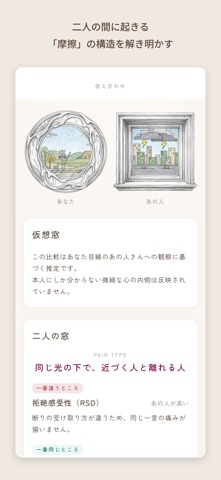
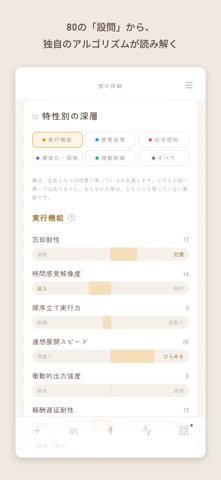
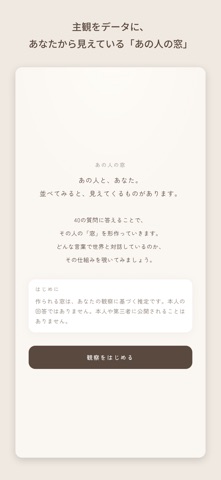
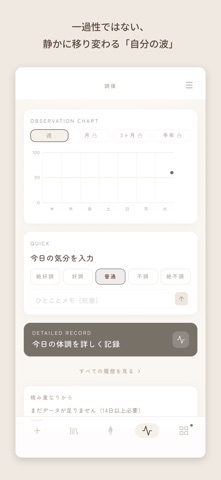
窓は、あなたの見え方のかたちです。 MADOは、80の設問からあなたの認知の傾向を30の指標で読み解き、ひとつの「窓」として描くアプリです。 かたち、色、景色、飾りの組み合わせは640万通りあり、同じ窓は生まれにくいつくりになっています。 ■ 自分の窓をつくる 80の設問に答えると、実行機能・感覚処理・社会認知・構造化・情動制御という五つの領域から、30の指標があなたの模様を描きます。 指標はすべて両極で示します。 数値が低いことは、足りないことではありません。反対側の性質が満ちている状態として読みます。 ■ あの人の窓をつくる 40の設問で、あなたから見えている誰かを観察します。 出来上がるのは本人の窓ではなく、あなたの目に映った姿です。 MADOはそれを、その人自身だと断定しません。 ■ 二人を並べる 自分の窓とあの人の窓を並べると、二人の間に起きやすい摩擦の構造が見えます。 どちらが正しいかではなく、どこで擦れるのかを示します。 ■ 波を記録する 20の設問で、その日の調子を残します。 続けるほど、一過性ではない自分の波…
App details
What you can learn from MADO すれ違いの理由を知る
Every shipping app on the App Store has gone through the same decisions you're working through right now: which screenshot goes first, what caption sits over it, which device frame to show, what color the background should be. The 7 screenshots above are MADO すれ違いの理由を知る's answers to those questions — they're public, they're real, and they made it through Apple's review.
What the numbers say: MADO すれ違いの理由を知る runs a light set with one background colour (#F4ECE4) carried across every screenshot — the listing reads as a single poster when the shots sit side by side in search results. The accent colour we picked up, #BCAC74, is the one to reuse for badges, arrows and highlighted words if you borrow this look. Hit Use this style to open the editor with these exact colours and drop your own screenshot in.
Notice the first screenshot in particular. It's the one users see in search results and on the product page, and it's where most apps spend their best caption and tightest design. Look at the proportion of background to phone, where the text sits, what one thing the image is trying to communicate.
Want to see how other Health & Fitness apps approach the same problem? Browse more Health & Fitness apps in the showcase.
Take what works into your own screenshots
Open LaunchShots and design your App Store & Google Play screenshots — pick a device frame, drop captions, ship in minutes. Free, in your browser.
Open the screenshot editor →Apps with a similar look
Closest background + accent colours among the listings we've analysed — useful when you want to see the same palette handled by a different team.