Chart position — tracked daily by LaunchShots
Screenshot style breakdown
Sampled from 6 of Eltern edoop.de's App Store screenshots — background, accent and theme, measured by LaunchShots (not something Apple publishes).
#FCFCFC bg
#DDDDDD
#DCE48C accent
#111111 text
- #1A Anna Weber - @ 1 [m Termin Elternabend 31.07. %% Grundschule Bayern - 1/2a
- #2Begriindung Optional Angaben zum gesundheitlichen Zustand des Kindes sind
- #3Gibt es schon einen genauen Zeitplan für das Fest? 09:00
- #4Zeitraum wählen Sonntag, 23.08.2026 16:00 - 18:00 Montag, 24.08.2026 16:00 - 18:00
- #5@ Ihre Antwort 5
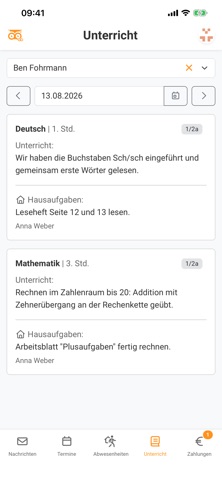
- #6@ Hausaufgaben: Arbeitsblatt "Plusaufgaben” fertig rechnen. Anna Weber
Captions read from the screenshots (OCR, may contain small errors): 6 headlines, 9.7 words on average (longest 15).
Screenshots



iPad screenshots


Icon palette
About this app
Die edoop.de Eltern-App verbindet Eltern direkt mit der Schule ihrer Kinder: Elternbriefe, Termine, Krankmeldungen, Hausaufgaben und Zahlungen an einem Ort. Die Registrierung erfolgt nach der Einladung der Schule. FUNKTIONEN • Elternbriefe und Mitteilungen lesen, bestätigen und beantworten • Umfragen beantworten • Direktnachrichten mit Lehrkräften • Schul- und Klassentermine einsehen, zu- oder absagen • Termine am Elternsprechtag buchen • Kalender-Abo für den eigenen Kalender • Krankmeldungen und Abwesenheiten melden und einsehen • Unterrichtsinhalte und Hausaufgaben einsehen • Zahlungen im Überblick, Belege als PDF • Übersetzung von Schulinhalten in viele Sprachen • Push-Benachrichtigungen • Mehrere Kinder in einem Konto DATENSCHUTZ edoop.de wird in Deutschland entwickelt und DSGVO-konform auf Servern in der EU betrieben.
App details
What you can learn from Eltern edoop.de
Every shipping app on the App Store has gone through the same decisions you're working through right now: which screenshot goes first, what caption sits over it, which device frame to show, what color the background should be. The 10 screenshots above are Eltern edoop.de's answers to those questions — they're public, they're real, and they made it through Apple's review.
What the numbers say: Eltern edoop.de runs a light set with one background colour (#FCFCFC) carried across every screenshot — the listing reads as a single poster when the shots sit side by side in search results. The accent colour we picked up, #DCE48C, is the one to reuse for badges, arrows and highlighted words if you borrow this look. Hit Use this style to open the editor with these exact colours and drop your own screenshot in.
Notice the first screenshot in particular. It's the one users see in search results and on the product page, and it's where most apps spend their best caption and tightest design. Look at the proportion of background to phone, where the text sits, what one thing the image is trying to communicate.
Want to see how other Education apps approach the same problem? Browse more Education apps in the showcase.
Take what works into your own screenshots
Open LaunchShots and design your App Store & Google Play screenshots — pick a device frame, drop captions, ship in minutes. Free, in your browser.
Open the screenshot editor →Apps with a similar look
Closest background + accent colours among the listings we've analysed — useful when you want to see the same palette handled by a different team.