Chart position — tracked daily by LaunchShots
Screenshot style breakdown
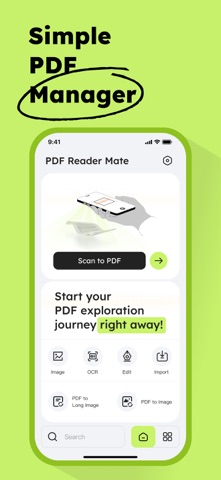
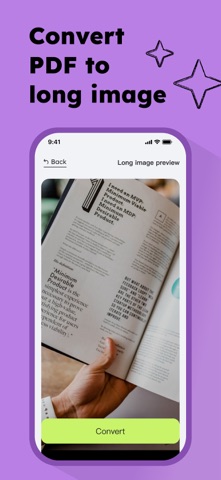
Sampled from 6 of PDF Reader Mate's App Store screenshots — background, accent and theme, measured by LaunchShots (not something Apple publishes).
#C4F46C bg
#ACD65F
#94C424 accent
#111111 text
Reading the caption text from the screenshots in your browser…
Screenshots


Icon palette
About this app
PDF Reader Mate — スキャン、OCR、注釈、変換をこれ1つで PDF Reader Mate は、軽快で高機能なPDFツールです。紙の書類をスキャンし、OCRで文字を抽出、PDFに注釈を加え、画像として書き出すまで、すべて1つのAppで行えます。登録は不要。すぐに使い始められます。 PDFにスキャン カメラで書類、ホワイトボード、名刺、レシートなどをスキャン。自動でトリミングし、すぐにPDFを作成できます。 スマートOCR文字抽出 OCR技術を使って、スキャンした書類や画像から文字を抽出。ワンタップでクリップボードにコピーできます。 PDFを編集・注釈 ハイライト、下線、取り消し線、手書き、テキストボックスなど、必要に応じてPDFに注釈できます。ページのトリミングや不要なページの削除にも対応し、変更内容を保存できます。 PDFを長い画像・複数画像に変換 PDF全体をスクロールできる1枚の長い画像として書き出したり、各ページを個別の画像として書き出したりできます。一括書き出しや変換するページの選択にも対応しています。 PDF Reader Mate を選ぶ理由 一連…
App details
What you can learn from PDF Reader Mate
Every shipping app on the App Store has gone through the same decisions you're working through right now: which screenshot goes first, what caption sits over it, which device frame to show, what color the background should be. The 6 screenshots above are PDF Reader Mate's answers to those questions — they're public, they're real, and they made it through Apple's review.
What the numbers say: PDF Reader Mate runs a mixed light-and-dark set where the background shifts from screenshot to screenshot (first shot #C4F46C) — each image has to stand on its own, so the captions carry more of the story. The accent colour we picked up, #94C424, is the one to reuse for badges, arrows and highlighted words if you borrow this look. Hit Use this style to open the editor with these exact colours and drop your own screenshot in.
Notice the first screenshot in particular. It's the one users see in search results and on the product page, and it's where most apps spend their best caption and tightest design. Look at the proportion of background to phone, where the text sits, what one thing the image is trying to communicate.
Want to see how other Productivity apps approach the same problem? Browse more Productivity apps in the showcase.
Take what works into your own screenshots
Open LaunchShots and design your App Store & Google Play screenshots — pick a device frame, drop captions, ship in minutes. Free, in your browser.
Open the screenshot editor →Apps with a similar look
Closest background + accent colours among the listings we've analysed — useful when you want to see the same palette handled by a different team.