Chart position — tracked daily by LaunchShots
Screenshot style breakdown
Sampled from 6 of 优雅相机-AI时光同框与创意拼贴's App Store screenshots — background, accent and theme, measured by LaunchShots (not something Apple publishes).
#FCFCFC bg
#DDDDDD
#84C4EC accent
#111111 text
Screenshots
Icon palette
About this app
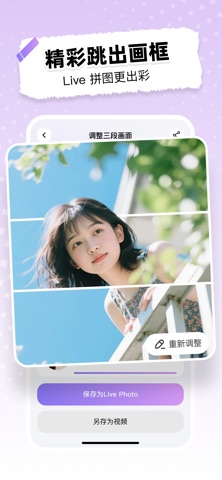
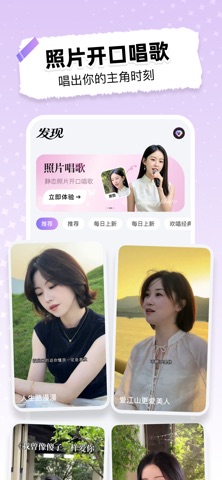
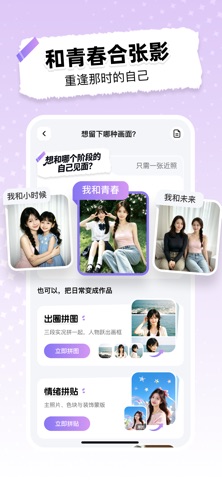
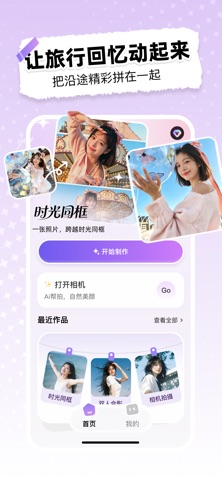
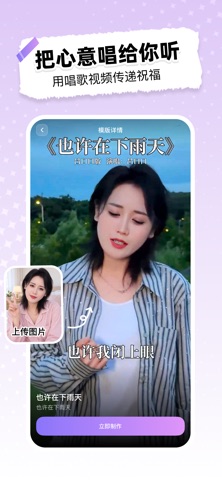
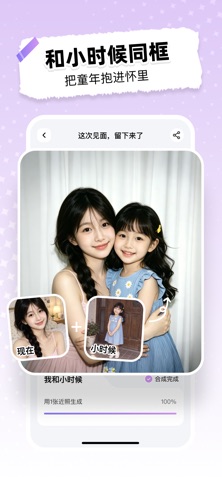
一张照片,也能遇见不同阶段的自己。 优雅相机是一款为日常记录与照片创作设计的 AI 相机。想和小时候、青春或未来的自己同框,把三段实况照片连成一段动态故事,或把普通照片做成手绘 Plog 和情绪拼贴,都能跟着清晰的步骤完成。 【时光同框】 上传一张清晰近照,选择“我和小时候”“我和青春”或“我和未来”,再调整站位、场景和画面风格,生成一张跨越时光的合影。 【三景动态】 选择远景、半身、全身三段实况照片,调整画面顺序和人物位置,生成可保存的实况照片或视频,让一段旅行更有故事感。 【情绪拼贴】 从一张照片出发,自由调整大小、形状、填充、颜色与细节,把当下的心情拼进画面里。 【手绘 Plog】 自动识别照片中的人物与场景元素,你可以选择保留内容、线条颜色和装饰密度,生成带手绘描边和短句的生活记录。 【AI 帮拍】 拍摄时识别光线、构图和人物状态,给出简洁建议;不用记复杂参数,也能更从容地完成一张照片。 【自然美颜】 按需要调整肤色、气色与美颜强度,保留自然质感,让人像看起来更像你自己。 作品会集中保存在“我的作品”,方便再次查看与…
App details
What you can learn from 优雅相机-AI时光同框与创意拼贴
Every shipping app on the App Store has gone through the same decisions you're working through right now: which screenshot goes first, what caption sits over it, which device frame to show, what color the background should be. The 6 screenshots above are 优雅相机-AI时光同框与创意拼贴's answers to those questions — they're public, they're real, and they made it through Apple's review.
What the numbers say: 优雅相机-AI时光同框与创意拼贴 runs a light set where the background shifts from screenshot to screenshot (first shot #FCFCFC) — each image has to stand on its own, so the captions carry more of the story. The accent colour we picked up, #84C4EC, is the one to reuse for badges, arrows and highlighted words if you borrow this look. Hit Use this style to open the editor with these exact colours and drop your own screenshot in.
Notice the first screenshot in particular. It's the one users see in search results and on the product page, and it's where most apps spend their best caption and tightest design. Look at the proportion of background to phone, where the text sits, what one thing the image is trying to communicate.
Want to see how other Graphics & Design apps approach the same problem? Browse more Graphics & Design apps in the showcase.
Take what works into your own screenshots
Open LaunchShots and design your App Store & Google Play screenshots — pick a device frame, drop captions, ship in minutes. Free, in your browser.
Open the screenshot editor →Apps with a similar look
Closest background + accent colours among the listings we've analysed — useful when you want to see the same palette handled by a different team.