Chart position — tracked daily by LaunchShots
Screenshot style breakdown
Sampled from 6 of 色彩あつめ - 色名・和名・配色's App Store screenshots — background, accent and theme, measured by LaunchShots (not something Apple publishes).
#FCF4EC bg
#DDD6CF
#F46C6C accent
#111111 text
Screenshots


Icon palette
About this app
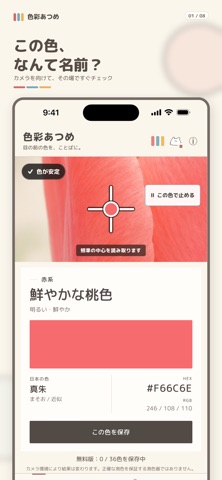
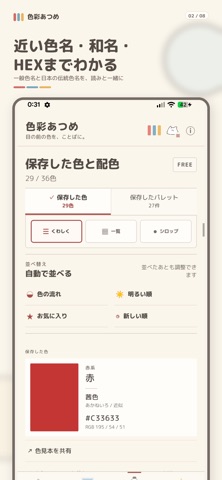
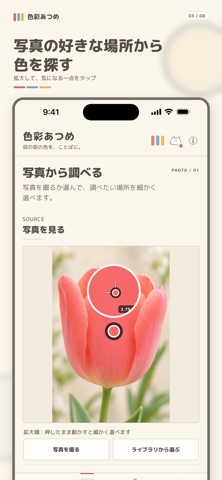
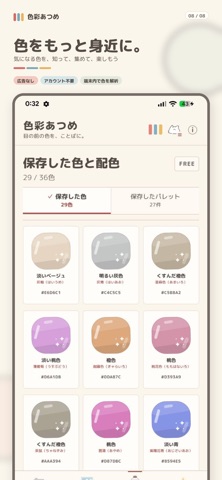
「色彩あつめ」は、身の回りの色をカメラや写真から調べて集められる、広告なし・アカウント不要の色判定アプリです。 カメラ中央の照準を知りたい色へ向けるだけで、「赤系」「青系」などの大分類、分かりやすい一般色名、日本の伝統色に基づく近似和名、HEX、RGBを表示します。読み取りを一時停止して色を確認したり、その場で撮影した写真や写真ライブラリの画像から好きな場所を選んだりできます。 無料版でできること: ・カメラによるリアルタイム色判定 ・大分類、一般色名、近似和名、HEX、RGBの表示 ・写真から1点の色を取得 ・36色まで保存 ・写真から3色・5色・8色のパレットを抽出 ・写真パレットを12件まで保存 ・名前変更、お気に入り、並べ替え ・色見本とパレットを画像で共有 Pro(買い切り・月額なし)でできること: ・色を無制限に保存 ・写真から2〜12色のパレットを抽出 ・「そのまま/鮮やか/やさしい/バランス」の4つの抽出モード ・保存色を自由に組み合わせたオリジナルパレット作成 ・写真とパレットを一緒に保存 ・フォルダ・タグ整…
App details
What you can learn from 色彩あつめ - 色名・和名・配色
Every shipping app on the App Store has gone through the same decisions you're working through right now: which screenshot goes first, what caption sits over it, which device frame to show, what color the background should be. The 8 screenshots above are 色彩あつめ - 色名・和名・配色's answers to those questions — they're public, they're real, and they made it through Apple's review.
What the numbers say: 色彩あつめ - 色名・和名・配色 runs a light set with one background colour (#FCF4EC) carried across every screenshot — the listing reads as a single poster when the shots sit side by side in search results. The accent colour we picked up, #F46C6C, is the one to reuse for badges, arrows and highlighted words if you borrow this look. Hit Use this style to open the editor with these exact colours and drop your own screenshot in.
Notice the first screenshot in particular. It's the one users see in search results and on the product page, and it's where most apps spend their best caption and tightest design. Look at the proportion of background to phone, where the text sits, what one thing the image is trying to communicate.
Want to see how other Graphics & Design apps approach the same problem? Browse more Graphics & Design apps in the showcase.
Take what works into your own screenshots
Open LaunchShots and design your App Store & Google Play screenshots — pick a device frame, drop captions, ship in minutes. Free, in your browser.
Open the screenshot editor →Apps with a similar look
Closest background + accent colours among the listings we've analysed — useful when you want to see the same palette handled by a different team.