Chart position — tracked daily by LaunchShots
Screenshot style breakdown
Sampled from 5 of CラーニングS's App Store screenshots — background, accent and theme, measured by LaunchShots (not something Apple publishes).
#FCFCFC bg
#DDDDDD
#644CA4 accent
#111111 text
Screenshots
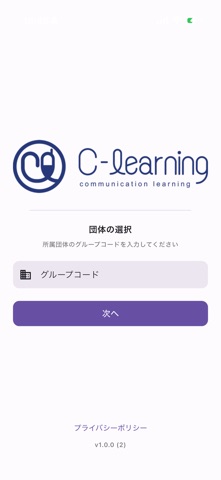


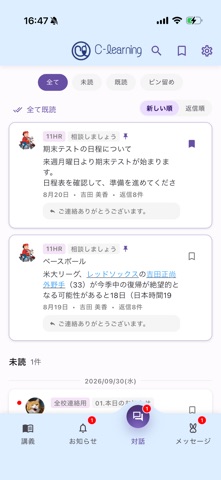
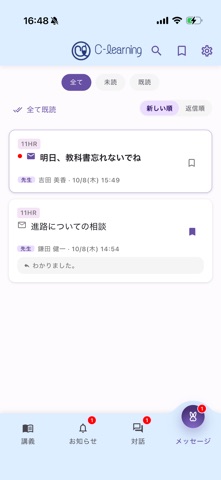
iPad screenshots


Icon palette
About this app
CラーニングSは、学校で利用している「Cラーニング」をスマートフォンでより快適に使える生徒専用アプリです。授業や部活動、校務グループなどの情報を講義の枠を超えてまとめて確認できるため、大切な連絡を見逃しません。 【主な機能】 講義一覧・時間割: 授業の時間割や各講義(校務グループや部活動など)の一覧、講義ごとのニュースを確認できます。 お知らせ: 学校や先生からの最新連絡を、講義の枠を超えてまとめて確認できます。 対話: 講義ごとの掲示板(協働板)の投稿確認や書き込みを、講義の枠を超えてまとめて確認できます。 メッセージ: 先生や学校と直接メッセージのやり取りが可能です。 ブックマーク&検索: 必要な情報をすぐに見つけられます。 【ご利用について】 本アプリのご利用には、学校または自治体単位でのご契約が必要です(個人での契約はできません)。 ログインには、学校から案内される「グループコード」およびログイン情報(配布されたアカウント、または指定のGoogleアカウント)が必要です。
App details
What you can learn from CラーニングS
Every shipping app on the App Store has gone through the same decisions you're working through right now: which screenshot goes first, what caption sits over it, which device frame to show, what color the background should be. The 11 screenshots above are CラーニングS's answers to those questions — they're public, they're real, and they made it through Apple's review.
What the numbers say: CラーニングS runs a light set with one background colour (#FCFCFC) carried across every screenshot — the listing reads as a single poster when the shots sit side by side in search results. The accent colour we picked up, #644CA4, is the one to reuse for badges, arrows and highlighted words if you borrow this look. Hit Use this style to open the editor with these exact colours and drop your own screenshot in.
Notice the first screenshot in particular. It's the one users see in search results and on the product page, and it's where most apps spend their best caption and tightest design. Look at the proportion of background to phone, where the text sits, what one thing the image is trying to communicate.
Want to see how other Education apps approach the same problem? Browse more Education apps in the showcase.
Take what works into your own screenshots
Open LaunchShots and design your App Store & Google Play screenshots — pick a device frame, drop captions, ship in minutes. Free, in your browser.
Open the screenshot editor →Apps with a similar look
Closest background + accent colours among the listings we've analysed — useful when you want to see the same palette handled by a different team.