Chart position — tracked daily by LaunchShots
Screenshot style breakdown
Sampled from 6 of ハローワークの仕事検索's App Store screenshots — background, accent and theme, measured by LaunchShots (not something Apple publishes).
#FCFCFC bg
#DDDDDD
#6CD404 accent
#111111 text
Reading the caption text from the screenshots in your browser…
Screenshots




Icon palette
About this app
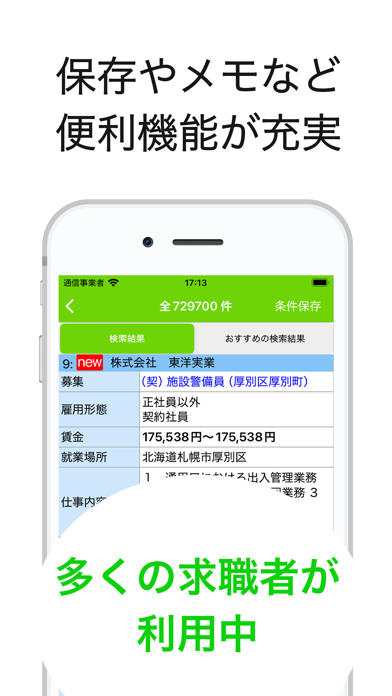
安心のハローワーク公式仕事、派遣、アルバイト、パート情報をどこよりも早くお届けいたします 厚生労働省が運営する、就職支援・雇用促進のためのサイト ハローワーク(hellowork.go.jp)を検索・表示するための求人アプリケーションです。 ハローワークの最新の仕事の情報を手軽に検索することが出来ます。 【主な機能】 《求人情報検索》 約100万件の求人データベースより仕事情報を検索できます。 詳細検索より、資格・経験・学歴、職務内容、事業内容等を表すキーワードなどからも求人情報を検索出来ます。 《検討リスト機能》 検討中の求人情報を端末に記憶することができます。 《検索履歴保存機能》 検索条件を保存することができます。 検索履歴をタップすると求人の検索条件を復元します。 《メモ機能》 面接の状況や、仕事の条件などを保存できるメモを残すことができます。 《求職番号検索》 ハローワークにて求人情報欄記載の求人番号から該当の求人を検索、表示できます。 《障がい者向け求人情報検索》 基本情報登録から障がい者向けの検索を…
App details
What you can learn from ハローワークの仕事検索
Every shipping app on the App Store has gone through the same decisions you're working through right now: which screenshot goes first, what caption sits over it, which device frame to show, what color the background should be. The 6 screenshots above are ハローワークの仕事検索's answers to those questions — they're public, they're real, and they made it through Apple's review.
What the numbers say: ハローワークの仕事検索 runs a light set with one background colour (#FCFCFC) carried across every screenshot — the listing reads as a single poster when the shots sit side by side in search results. The accent colour we picked up, #6CD404, is the one to reuse for badges, arrows and highlighted words if you borrow this look. Hit Use this style to open the editor with these exact colours and drop your own screenshot in.
Notice the first screenshot in particular. It's the one users see in search results and on the product page, and it's where most apps spend their best caption and tightest design. Look at the proportion of background to phone, where the text sits, what one thing the image is trying to communicate.
Want to see how other Business apps approach the same problem? Browse more Business apps in the showcase.
Take what works into your own screenshots
Open LaunchShots and design your App Store & Google Play screenshots — pick a device frame, drop captions, ship in minutes. Free, in your browser.
Open the screenshot editor →Apps with a similar look
Closest background + accent colours among the listings we've analysed — useful when you want to see the same palette handled by a different team.