Chart position — tracked daily by LaunchShots
Screenshot style breakdown
Sampled from 6 of ナスカレ≪ナースカレンダー≫'s App Store screenshots — background, accent and theme, measured by LaunchShots (not something Apple publishes).
#FCFCF4 bg
#DDDDD6
#FC6C6C accent
#111111 text
Reading the caption text from the screenshots in your browser…
Screenshots


iPad screenshots


Icon palette
About this app
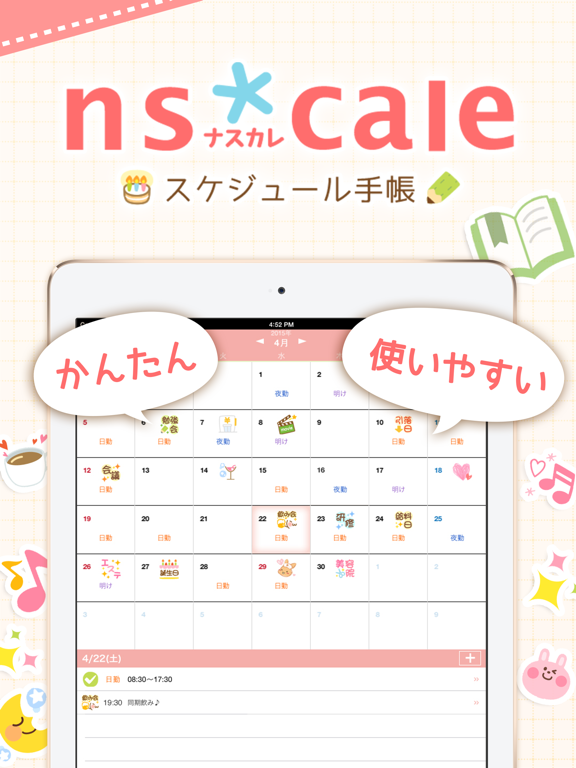
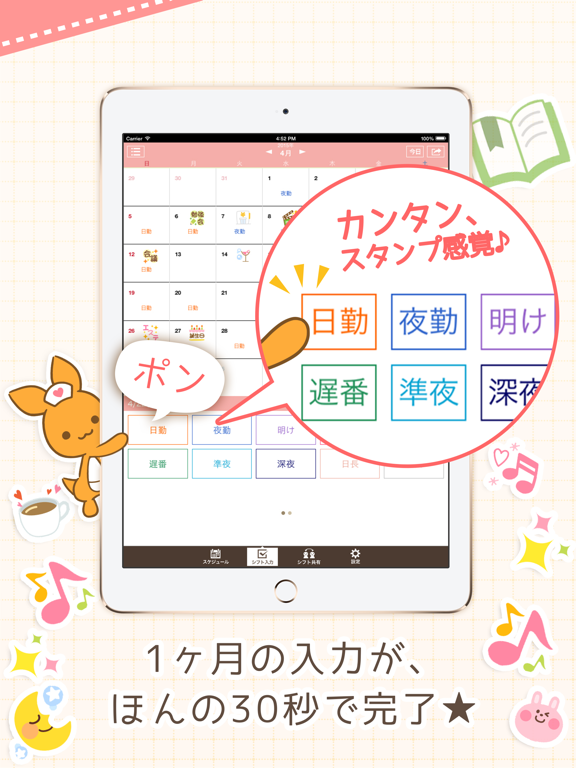
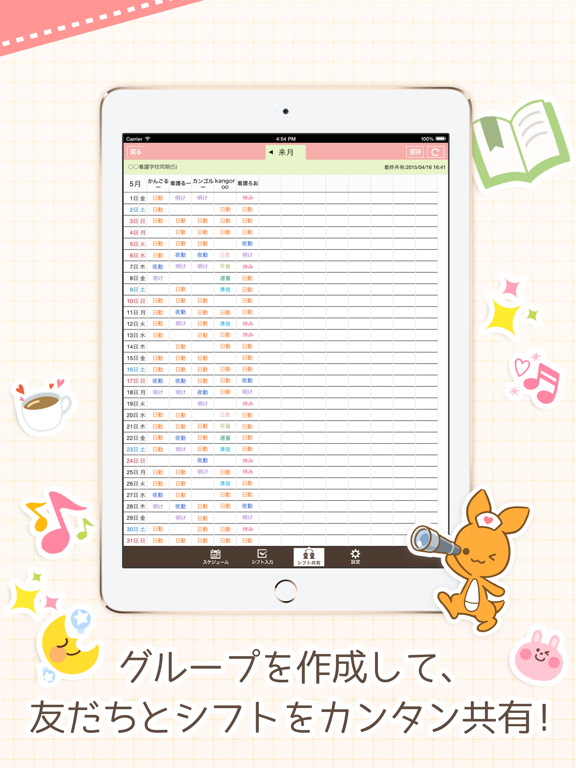
ナスカレ(ナースカレンダー)は、看護師のスケジュール管理アプリ!【無料】 祝!120万人ダウンロード突破!! \ テレビで紹介されました / 日テレ「月曜から夜ふかし」でナスカレが紹介されました!(2017年5月15日) ◆シフトをスタンプ感覚でぽんぽん入力 ◆グループを作成して友達とシフトをカンタン共有 ◆シフトと連動したアラーム機能 ◆iOSカレンダーやGoogleカレンダーなど 外部カレンダーとの連携も可能! 【シフト入力もシンプルでカンタン】 日付を選び、「日勤」「夜勤」「早番」などのスタンプをタップしていくだけ。 30秒で1ヶ月分のシフトが入力できる! 【友達とのシフト共有もワンタッチ】 グループを作成し、お互いのシフトをワンタッチで共有! みんなのシフトを一覧で確認できるので、予定をあわせるのもラクチン! ナスカレを使っていない人にも、メールやLINEでカンタンにシフトを教えることができます。 【毎日のアラーム設定が不要!】 シフトごとにアラームを設定することができるため、シフトを入力していれば毎日アラーム…
App details
What you can learn from ナスカレ≪ナースカレンダー≫
Every shipping app on the App Store has gone through the same decisions you're working through right now: which screenshot goes first, what caption sits over it, which device frame to show, what color the background should be. The 12 screenshots above are ナスカレ≪ナースカレンダー≫'s answers to those questions — they're public, they're real, and they made it through Apple's review.
What the numbers say: ナスカレ≪ナースカレンダー≫ runs a light set with one background colour (#FCFCF4) carried across every screenshot — the listing reads as a single poster when the shots sit side by side in search results. The accent colour we picked up, #FC6C6C, is the one to reuse for badges, arrows and highlighted words if you borrow this look. Hit Use this style to open the editor with these exact colours and drop your own screenshot in.
Notice the first screenshot in particular. It's the one users see in search results and on the product page, and it's where most apps spend their best caption and tightest design. Look at the proportion of background to phone, where the text sits, what one thing the image is trying to communicate.
Want to see how other Medical apps approach the same problem? Browse more Medical apps in the showcase.
Take what works into your own screenshots
Open LaunchShots and design your App Store & Google Play screenshots — pick a device frame, drop captions, ship in minutes. Free, in your browser.
Open the screenshot editor →Apps with a similar look
Closest background + accent colours among the listings we've analysed — useful when you want to see the same palette handled by a different team.