Chart position — tracked daily by LaunchShots
Screenshot style breakdown
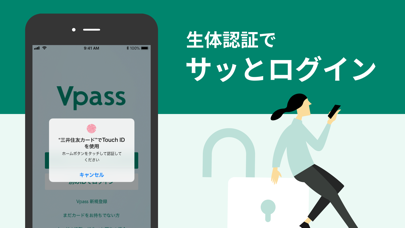
Sampled from 6 of 三井住友カード Vpassアプリ's App Store screenshots — background, accent and theme, measured by LaunchShots (not something Apple publishes).
#04846C bg
#279580
#54AC9C accent
#FFFFFF text
Screenshots

Icon palette
About this app
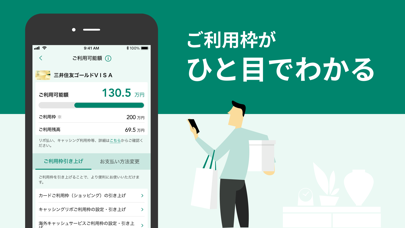
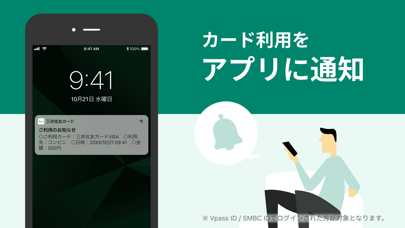
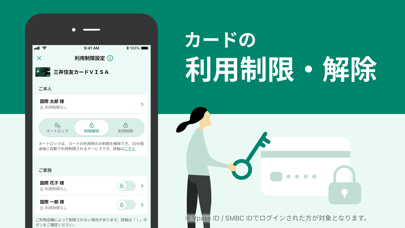
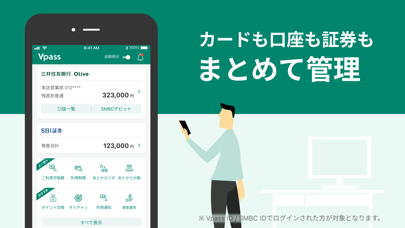
三井住友カードが提供する公式アプリ「Vpassアプリ」 カードのご利用状況や、ポイント、引き落とし口座の残高を確認することができ、使い過ぎ防止や不正利用察知のためのアプリ通知機能など、安心・安全機能も搭載しています。 カードも銀行もポイントも電子マネーも、これ1つで管理することが可能です。 ■■■ 基本機能 ■■■ 1.クレジットカードの利用状況確認 ・ご利用明細の確認 ・次回のお支払い金額の確認 ・ポイントの確認、及び景品交換 2.SMBC ID、ログイン設定機能 ・SMBC IDの登録をすることで、普段お使いのメールアドレス1つで、 Vpassアプリ・三井住友銀行アプリどちらのアプリにもログインができます。 ・ログイン設定を行うことで、次回以降のID・パスワード入力を省略できます。 Touch ID / Face ID でのログインも設定でき、簡単・安心です。 3.口座残高表示、口座・サービスおまとめ管理機能 ・三井住友銀行はもちろん、様々な銀行の口座残高確認が可能 ・複数のカードや銀行口座、ポイント、電子マネー等の情報をまとめて管理できる「口座・…
App details
What you can learn from 三井住友カード Vpassアプリ
Every shipping app on the App Store has gone through the same decisions you're working through right now: which screenshot goes first, what caption sits over it, which device frame to show, what color the background should be. The 6 screenshots above are 三井住友カード Vpassアプリ's answers to those questions — they're public, they're real, and they made it through Apple's review.
What the numbers say: 三井住友カード Vpassアプリ runs a dark set with one background colour (#04846C) carried across every screenshot — the listing reads as a single poster when the shots sit side by side in search results. The accent colour we picked up, #54AC9C, is the one to reuse for badges, arrows and highlighted words if you borrow this look. Hit Use this style to open the editor with these exact colours and drop your own screenshot in.
Notice the first screenshot in particular. It's the one users see in search results and on the product page, and it's where most apps spend their best caption and tightest design. Look at the proportion of background to phone, where the text sits, what one thing the image is trying to communicate.
Want to see how other Finance apps approach the same problem? Browse more Finance apps in the showcase.
Take what works into your own screenshots
Open LaunchShots and design your App Store & Google Play screenshots — pick a device frame, drop captions, ship in minutes. Free, in your browser.
Open the screenshot editor →Apps with a similar look
Closest background + accent colours among the listings we've analysed — useful when you want to see the same palette handled by a different team.