Chart position — tracked daily by LaunchShots
Screenshot changes — detected by LaunchShots
Screenshot style breakdown
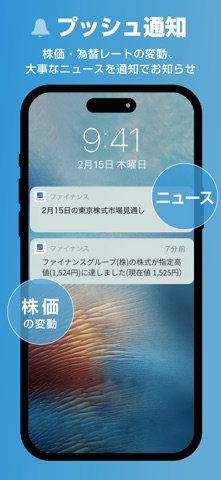
Sampled from 6 of Yahoo!ファイナンス's App Store screenshots — background, accent and theme, measured by LaunchShots (not something Apple publishes).
#64ACD4 bg
#5897BA
#0464CC accent
#111111 text
Screenshots




Icon palette
About this app
国内最大級の金融情報サイト、Yahoo!ファイナンス公式アプリ。 経済ニュースや株式市況、為替レートから高度な資産管理までこれひとつで完結!投資初心者からベテランまで、毎日の資産運用を強力にサポートする投資家必須アプリです。 -- 主な特長 -- ■ Yahoo!ファイナンスコネクト 証券会社とID連携し、保有資産情報や取引履歴を自動取得してアプリで一括管理。 履歴ごとにメモやチャート画像を追加できるため、投資の振り返りが簡単に行えます。 ■ポートフォリオ お気に入り銘柄で自分だけのウォッチリストを作成! 各証券会社で購入した銘柄をまとめて損益表示でき、資産状況をすばやく把握できます。国内株、米国株・ETF、為替、投資信託、指数など幅広い銘柄に対応しています。 これから買いたい、気になる株価の値動きも見逃しません(メモ機能付き)。 ひとつのポートフォリオに50銘柄まで(VIP倶楽部会員の場合は500銘柄まで)登録可能です。 ウィジェットとしてもご利用いただけますのでアプリを開かなくても最新情報を確認できます。 ■掲示板 気になる…
App details
What you can learn from Yahoo!ファイナンス
Every shipping app on the App Store has gone through the same decisions you're working through right now: which screenshot goes first, what caption sits over it, which device frame to show, what color the background should be. The 6 screenshots above are Yahoo!ファイナンス's answers to those questions — they're public, they're real, and they made it through Apple's review.
What the numbers say: Yahoo!ファイナンス runs a light set with one background colour (#64ACD4) carried across every screenshot — the listing reads as a single poster when the shots sit side by side in search results. The accent colour we picked up, #0464CC, is the one to reuse for badges, arrows and highlighted words if you borrow this look. Hit Use this style to open the editor with these exact colours and drop your own screenshot in.
Notice the first screenshot in particular. It's the one users see in search results and on the product page, and it's where most apps spend their best caption and tightest design. Look at the proportion of background to phone, where the text sits, what one thing the image is trying to communicate.
Want to see how other Finance apps approach the same problem? Browse more Finance apps in the showcase.
Take what works into your own screenshots
Open LaunchShots and design your App Store & Google Play screenshots — pick a device frame, drop captions, ship in minutes. Free, in your browser.
Open the screenshot editor →Apps with a similar look
Closest background + accent colours among the listings we've analysed — useful when you want to see the same palette handled by a different team.