Chart position — tracked daily by LaunchShots
Screenshot changes — detected by LaunchShots
Screenshot style breakdown
Sampled from 6 of 育児・成長記録 - 授乳ノート's App Store screenshots — background, accent and theme, measured by LaunchShots (not something Apple publishes).
#FCECD4 bg
#DDCFBA
#745434 accent
#111111 text
Screenshots



Icon palette
About this app
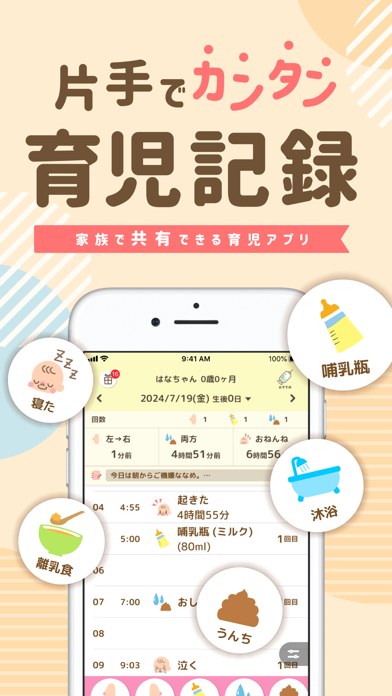
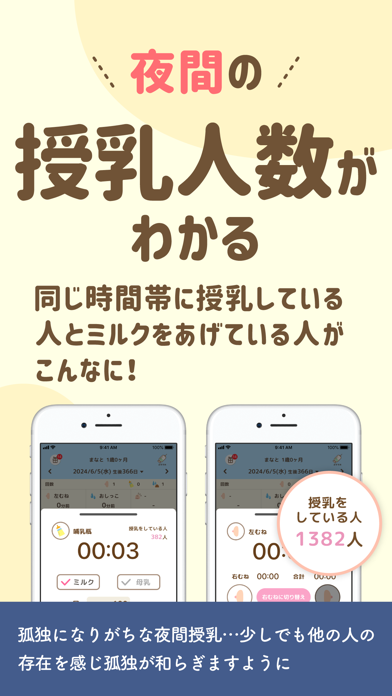
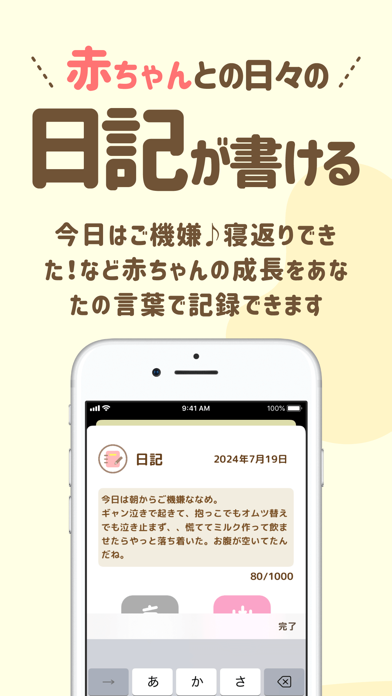
授乳ノートは、出産直後(生後0日)から無料で使える育児記録アプリです。授乳・ミルク・オムツ・睡眠を、大きなボタンのワンタップで記録できます。記録は家族とリアルタイムで共有でき、夫婦やパートナーで育児を分担できます。 産後すぐの時期に、慣れない夜間のお世話や授乳の記録をできるだけ手早く済ませたい方に向けて作りました。授乳はタイマーで時間を計測してワンタップで保存し、次の授乳時間はアラームで通知します。 【授乳ノートでできること】 ◆授乳・お世話の記録 ・授乳はタイマーで計測し、ワンタップで保存できます ・大きなボタンで授乳中の左右の切り替えができます ・オムツ・睡眠・体温など、授乳以外のお世話もまとめて記録できます ・寝かしつけのタイミングの目安が分かる「おねんねサポート」機能があります ・1日の記録はタイムラインで一覧でき、次の授乳やオムツ替えの目安が分かります ・1日の授乳時間・睡眠時間の合計を確認できます ・週ごとのグラフで、過去との比較や生活リズムの把握ができます ◆家族との共有 ・記録は追加と同…
App details
What you can learn from 育児・成長記録 - 授乳ノート
Every shipping app on the App Store has gone through the same decisions you're working through right now: which screenshot goes first, what caption sits over it, which device frame to show, what color the background should be. The 7 screenshots above are 育児・成長記録 - 授乳ノート's answers to those questions — they're public, they're real, and they made it through Apple's review.
What the numbers say: 育児・成長記録 - 授乳ノート runs a light set with one background colour (#FCECD4) carried across every screenshot — the listing reads as a single poster when the shots sit side by side in search results. The accent colour we picked up, #745434, is the one to reuse for badges, arrows and highlighted words if you borrow this look. Hit Use this style to open the editor with these exact colours and drop your own screenshot in.
Notice the first screenshot in particular. It's the one users see in search results and on the product page, and it's where most apps spend their best caption and tightest design. Look at the proportion of background to phone, where the text sits, what one thing the image is trying to communicate.
Want to see how other Medical apps approach the same problem? Browse more Medical apps in the showcase.
Take what works into your own screenshots
Open LaunchShots and design your App Store & Google Play screenshots — pick a device frame, drop captions, ship in minutes. Free, in your browser.
Open the screenshot editor →Apps with a similar look
Closest background + accent colours among the listings we've analysed — useful when you want to see the same palette handled by a different team.