Chart position — tracked daily by LaunchShots
Screenshot changes — detected by LaunchShots
Screenshot style breakdown
Sampled from 6 of ギャップ's App Store screenshots — background, accent and theme, measured by LaunchShots (not something Apple publishes).
#FCFCFC bg
#DDDDDD
#4C647C accent
#111111 text
Screenshots




Icon palette
About this app
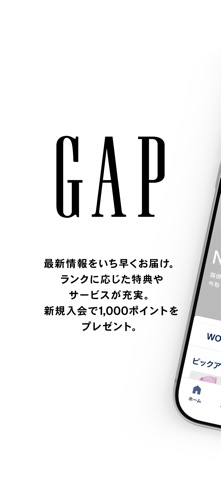
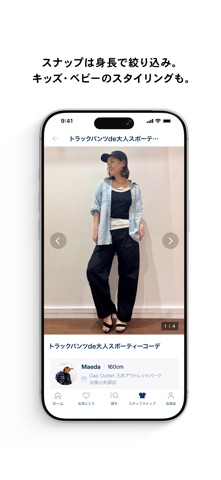
【GAP公式アプリでおトクにお買い物!】 新規入会で1,000ポイントプレゼント! 最新情報や会員限定特典をいち早くお届け。 ランクに応じた特典やサービスが充実。 アイテム検索やスタッフスナップ検索で、お買い物がもっと便利で楽しく。 ■ 新規入会で1,000ポイントプレゼント アプリから簡単に会員登録。お買い物で使えるポイントをプレゼント。 ■ ランク特典でショッピングがもっと楽しく お買い物やさまざまなアクションでポイントが貯まり、会員ランクに応じた特典やサービスをお楽しみいただけます。 ■ 欲しいアイテムや店舗がすぐ見つかる カテゴリーやキーワードから簡単検索。話題のアイテムはもちろん、店舗情報も手軽に探せます。 ■ スナップでコーディネートの参考に スタッフやユーザーのスナップをチェック。キッズ・ベビーのスタイリングもご紹介します。 ■ 気になるアイテムをお気に入り登録 気になるアイテムを保存して、いつでも簡単にチェック。 ■ 店舗で商品をスキャン 商品のバーコードをスキャンして、商品情報やレビュー、サイズ情報をその場で…
App details
What you can learn from ギャップ
Every shipping app on the App Store has gone through the same decisions you're working through right now: which screenshot goes first, what caption sits over it, which device frame to show, what color the background should be. The 8 screenshots above are ギャップ's answers to those questions — they're public, they're real, and they made it through Apple's review.
What the numbers say: ギャップ runs a light set with one background colour (#FCFCFC) carried across every screenshot — the listing reads as a single poster when the shots sit side by side in search results. The accent colour we picked up, #4C647C, is the one to reuse for badges, arrows and highlighted words if you borrow this look. Hit Use this style to open the editor with these exact colours and drop your own screenshot in.
Notice the first screenshot in particular. It's the one users see in search results and on the product page, and it's where most apps spend their best caption and tightest design. Look at the proportion of background to phone, where the text sits, what one thing the image is trying to communicate.
Want to see how other Shopping apps approach the same problem? Browse more Shopping apps in the showcase.
Take what works into your own screenshots
Open LaunchShots and design your App Store & Google Play screenshots — pick a device frame, drop captions, ship in minutes. Free, in your browser.
Open the screenshot editor →Apps with a similar look
Closest background + accent colours among the listings we've analysed — useful when you want to see the same palette handled by a different team.