Chart position — tracked daily by LaunchShots
Screenshot changes — detected by LaunchShots
Screenshot style breakdown
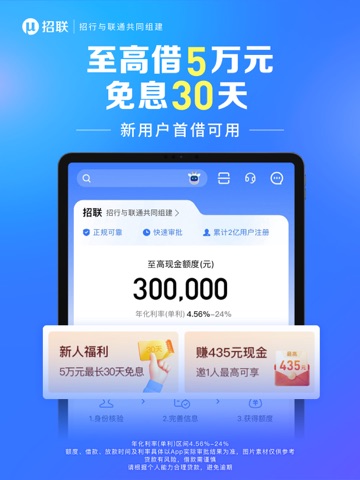
Sampled from 5 of 招联金融—信用贷款分期借钱平台's App Store screenshots — background, accent and theme, measured by LaunchShots (not something Apple publishes).
#3474FC bg
#5087FC
#74B4FC accent
#FFFFFF text
Screenshots





iPad screenshots



Icon palette
About this app
招联金融:凭身份证等材料在线申请!借款成功后最快1分钟放款!额度最高30万元! 利率、额度、还款时间都能“商量”,欢迎体验,解锁更多「智惠」金融服务! 【平台介绍】 招联金融:由招商银行与中国联通共同组建,正规持牌消费金融机构。为您提供安全、专业、智能、便捷的现金借贷、分期消费贷款服务。 【产品优势】 1、申请易:线上申请,无抵押 2、速度快:快速放款,现金借款成功后最快1分钟放款 3、额度优:最高可申请额度为30万元 4、利率优:年化利率(单利)区间4.56%~24% 【产品简介】 ● 现金借贷:招联为您提供专业的消费贷款服务。 ● 分期购物:使用招联金融信用额度,多种分期数可选(如1、3、6、12、24期),先消费、后还款。 ● 展示内容:汇聚更多精彩,「惠」无止境,一「下」就来! 【联系我们】 微信关注“招联金融”官方公众号,为您提供快捷便利服务! 官方网站:www.mucfc.com 客服电话:95786 【风险提示】 ● 具体页面内容与活动规则以实际页面展示为准 ● 贷款额度、利率、放款时间以实际审批结果为准 ● 招联金融贷款仅可用于消费;请根据个人能力…
App details
What you can learn from 招联金融—信用贷款分期借钱平台
Every shipping app on the App Store has gone through the same decisions you're working through right now: which screenshot goes first, what caption sits over it, which device frame to show, what color the background should be. The 10 screenshots above are 招联金融—信用贷款分期借钱平台's answers to those questions — they're public, they're real, and they made it through Apple's review.
What the numbers say: 招联金融—信用贷款分期借钱平台 runs a dark set with one background colour (#3474FC) carried across every screenshot — the listing reads as a single poster when the shots sit side by side in search results. The accent colour we picked up, #74B4FC, is the one to reuse for badges, arrows and highlighted words if you borrow this look. Hit Use this style to open the editor with these exact colours and drop your own screenshot in.
Notice the first screenshot in particular. It's the one users see in search results and on the product page, and it's where most apps spend their best caption and tightest design. Look at the proportion of background to phone, where the text sits, what one thing the image is trying to communicate.
Want to see how other Finance apps approach the same problem? Browse more Finance apps in the showcase.
Take what works into your own screenshots
Open LaunchShots and design your App Store & Google Play screenshots — pick a device frame, drop captions, ship in minutes. Free, in your browser.
Open the screenshot editor →Apps with a similar look
Closest background + accent colours among the listings we've analysed — useful when you want to see the same palette handled by a different team.