Chart position — tracked daily by LaunchShots
Screenshot style breakdown
Sampled from 5 of 掌心宝贝家长版-家长喜爱的家园共育平台's App Store screenshots — background, accent and theme, measured by LaunchShots (not something Apple publishes).
#FCFCFC bg
#DDDDDD
#FCCC24 accent
#111111 text
Reading the caption text from the screenshots in your browser…
Screenshots


Icon palette
About this app
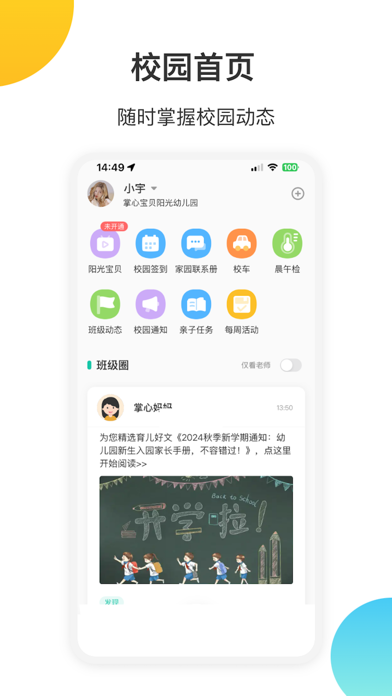
掌心宝贝APP是一款专为幼儿园打造的家园互动管理平台软件,解决园方管理难,及与家长沟通难的问题,全方位提升幼儿园品牌竞争力,打造让家长“零距离,更放心”的幼儿园。 帮助园长做些什么:通过各种新鲜有效的互通方式,提高家园沟通效率,提供科学高效的管理解决方案,简化园务。 园所宣传:发布校园介绍、招生信息等 教师考勤:刷卡考勤无纸化 班级通知:向家长准确传达消息 宝贝签到:打卡考勤更方便 园所视频:透明教学值信任 留 言: 家长直接给老师留言 代 接 送:安全接送更放心 家长得到怎样的贴心服务:及时获得通知、学习、饮食、健康、安全、育儿知识等关心的孩子动态,有文字、图片、视频,选择喜欢的形式,获取你想要的信息。 宝贝在线:手机查看孩子实时在园表现 班级通知:准确接收班级通知消息 宝贝饮食:记录宝宝每日饮食 宝贝考勤:打卡签到安全放心 代 接 送:家长设置其他亲属接送 健 康:记录宝宝每日体温 宝宝动态:发现班级新鲜事 掌心宝贝,贴心守护幼儿成长每一天 掌心宝贝热线:400-8879-121
App details
What you can learn from 掌心宝贝家长版-家长喜爱的家园共育平台
Every shipping app on the App Store has gone through the same decisions you're working through right now: which screenshot goes first, what caption sits over it, which device frame to show, what color the background should be. The 5 screenshots above are 掌心宝贝家长版-家长喜爱的家园共育平台's answers to those questions — they're public, they're real, and they made it through Apple's review.
What the numbers say: 掌心宝贝家长版-家长喜爱的家园共育平台 runs a light set with one background colour (#FCFCFC) carried across every screenshot — the listing reads as a single poster when the shots sit side by side in search results. The accent colour we picked up, #FCCC24, is the one to reuse for badges, arrows and highlighted words if you borrow this look. Hit Use this style to open the editor with these exact colours and drop your own screenshot in.
Notice the first screenshot in particular. It's the one users see in search results and on the product page, and it's where most apps spend their best caption and tightest design. Look at the proportion of background to phone, where the text sits, what one thing the image is trying to communicate.
Want to see how other Utilities apps approach the same problem? Browse more Utilities apps in the showcase.
Take what works into your own screenshots
Open LaunchShots and design your App Store & Google Play screenshots — pick a device frame, drop captions, ship in minutes. Free, in your browser.
Open the screenshot editor →Apps with a similar look
Closest background + accent colours among the listings we've analysed — useful when you want to see the same palette handled by a different team.