Chart position — tracked daily by LaunchShots
Screenshot style breakdown
Sampled from 4 of LIFE-Web Deskアプリ's App Store screenshots — background, accent and theme, measured by LaunchShots (not something Apple publishes).
#FCFCFC bg
#DDDDDD
#049CFC accent
#111111 text
Screenshots


Icon palette
About this app
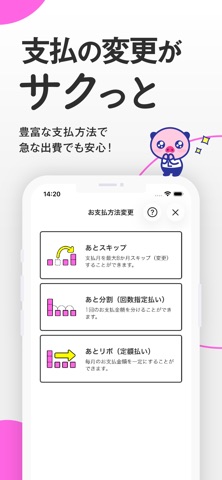
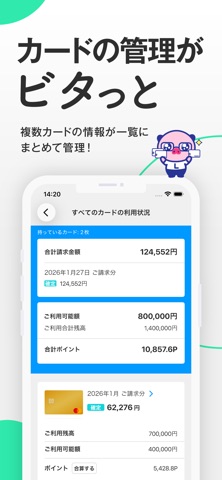
お支払い金額や請求明細の確認、ポイント照会・交換、また「L-mail」へのログインなどが楽チンに!カンタン・便利なライフカードの公式アプリです。 ======【主な機能】====== 1)ご利用状況の確認 ・月々のご請求金額、ご利用明細の確認 ・ポイントの確認、交換 ・ご利用可能枠、ご利用残高の確認 2)お知らせ・キャンペーンのご案内 ・重要なお知らせ、ご連絡事項のご案内 ・実施中キャンペーンのご案内 3)お支払変更 ・リボ払い、分割払い、スキップ払いへの変更 ・AUTOサービスのお申込み 4)ログイン設定 ・ログイン設定でLIFE-Web DeskのID・パスワードの省略可能 ======【ご注意】====== ・本アプリのご利用には、「LIFE-Web Desk」にご登録いただく必要があります。 ・システムメンテナンスにより、ログインまたはお支払い金額やポイント残高等の情報を取得できない場合があります。LIFE-Web Deskサイトやメンテナンススケジュールをご確認ください。 ・お客様のご利用環境やインターネット環境の理由によっては、正常に情報が取得で…
App details
What you can learn from LIFE-Web Deskアプリ
Every shipping app on the App Store has gone through the same decisions you're working through right now: which screenshot goes first, what caption sits over it, which device frame to show, what color the background should be. The 4 screenshots above are LIFE-Web Deskアプリ's answers to those questions — they're public, they're real, and they made it through Apple's review.
What the numbers say: LIFE-Web Deskアプリ runs a light set with one background colour (#FCFCFC) carried across every screenshot — the listing reads as a single poster when the shots sit side by side in search results. The accent colour we picked up, #049CFC, is the one to reuse for badges, arrows and highlighted words if you borrow this look. Hit Use this style to open the editor with these exact colours and drop your own screenshot in.
Notice the first screenshot in particular. It's the one users see in search results and on the product page, and it's where most apps spend their best caption and tightest design. Look at the proportion of background to phone, where the text sits, what one thing the image is trying to communicate.
Want to see how other Finance apps approach the same problem? Browse more Finance apps in the showcase.
Take what works into your own screenshots
Open LaunchShots and design your App Store & Google Play screenshots — pick a device frame, drop captions, ship in minutes. Free, in your browser.
Open the screenshot editor →Apps with a similar look
Closest background + accent colours among the listings we've analysed — useful when you want to see the same palette handled by a different team.