Chart position — tracked daily by LaunchShots
Screenshot changes — detected by LaunchShots
Screenshot style breakdown
Sampled from 6 of トラックカーナビ by NAVITIME ナビタイム's App Store screenshots — background, accent and theme, measured by LaunchShots (not something Apple publishes).
#142444 bg
#34425E
#0444FC accent
#FFFFFF text
Reading the caption text from the screenshots in your browser…
Screenshots
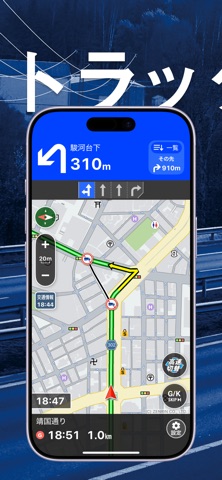
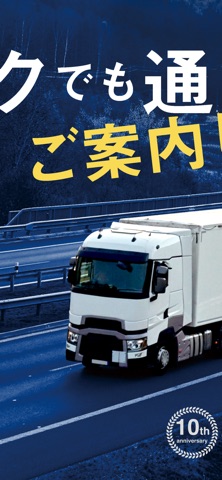
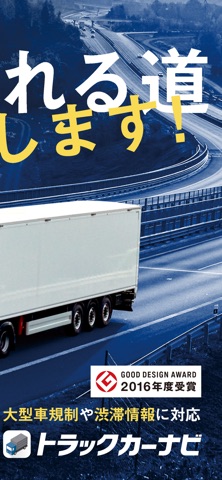
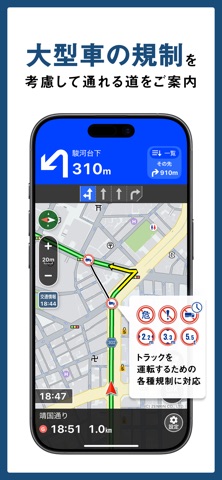
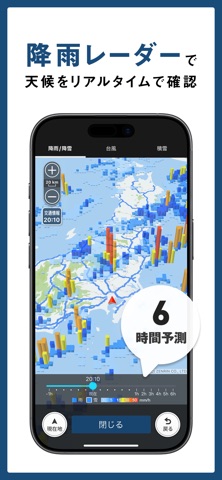

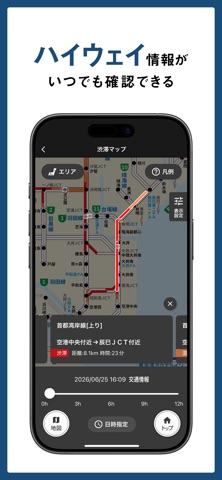

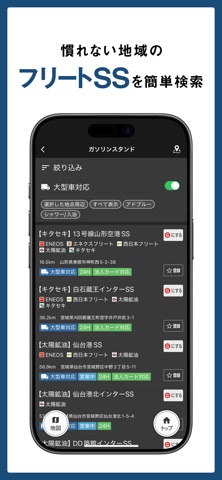
iPad screenshots

Icon palette
About this app
■トラックカーナビとは 日本初のトラックドライバー向けに特化したカーナビアプリ。高精度な到着予想時刻、大型車特有の交通規制を考慮したルート検索、複数の訪問先を効率よく回る順序の提案、大型車が駐車可能な施設の検索などが特長です。 ①トラックの車両情報を登録(最大5台) ・車高/車幅/車長 ・最大積載量 / 車両総重量 ・高速道路料金区分 ・危険物積載の有無 ②車両情報と、全国の規制情報、 交通情報を考慮してルートを検索 ・大型貨物自動車の通行止め:約106,000箇所 ・車高/車幅等の各種車両規制:約86,000箇所 ・新しいゼンリン地図への自動更新 ・交通情報(渋滞情報)にJARTICの配信情報とプローブ情報※を利用 ※NAVITIMEの各種カーナビゲーションサービスから、一日に約1600万km(=地球400周分)の走行ログを蓄積。ログを分析することで、経路検索の精度を向上します。 ③トラックが通れる道をご案内 大型貨物車通行止めなどの各種車両規制区間を避けたルートを音声ナビゲーションします。 各道路の通過ユーザー数、通過時の速度など、過去…
App details
What you can learn from トラックカーナビ by NAVITIME ナビタイム
Every shipping app on the App Store has gone through the same decisions you're working through right now: which screenshot goes first, what caption sits over it, which device frame to show, what color the background should be. The 10 screenshots above are トラックカーナビ by NAVITIME ナビタイム's answers to those questions — they're public, they're real, and they made it through Apple's review.
What the numbers say: トラックカーナビ by NAVITIME ナビタイム runs a mixed light-and-dark set where the background shifts from screenshot to screenshot (first shot #142444) — each image has to stand on its own, so the captions carry more of the story. The accent colour we picked up, #0444FC, is the one to reuse for badges, arrows and highlighted words if you borrow this look. Hit Use this style to open the editor with these exact colours and drop your own screenshot in.
Notice the first screenshot in particular. It's the one users see in search results and on the product page, and it's where most apps spend their best caption and tightest design. Look at the proportion of background to phone, where the text sits, what one thing the image is trying to communicate.
Want to see how other Navigation apps approach the same problem? Browse more Navigation apps in the showcase.
Take what works into your own screenshots
Open LaunchShots and design your App Store & Google Play screenshots — pick a device frame, drop captions, ship in minutes. Free, in your browser.
Open the screenshot editor →Apps with a similar look
Closest background + accent colours among the listings we've analysed — useful when you want to see the same palette handled by a different team.