Screenshot style breakdown
Sampled from 6 of 英単語ゲームHAMARU・英語・英会話・勉強・ai・暇つぶし's App Store screenshots — background, accent and theme, measured by LaunchShots (not something Apple publishes).
#FCCC04 bg
#DDB303
#A4840C accent
#111111 text
Screenshots
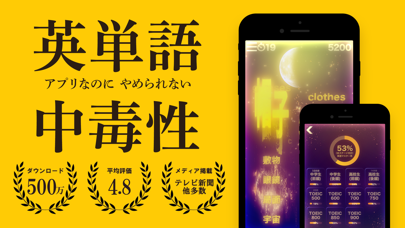


iPad screenshots


Icon palette
About this app
400万人が使っている英単語学習アプリ、HAMARUで英語の苦手意識を一緒に克服しましょう。 【他のアプリで挫折した方へ】 HAMARUは「楽しさ」を重視した設計で、英語学習に挫折した人々をサポートします。 ・小学生から社会人まで 多様な英単語問題 TOEICから中学、高校英語まで、多彩な英単語問題を提供します。 小学生から社会人まで、幅広い年齢層から支持を受けています。 〜 学びを娯楽に 〜 英単語 HAMARUの特徴 ■ 美しく優雅なビジュアルと爽快感で学習アプリらしさを忘れさせます ■ 続けたくなるようなゲーム性を備えた学習仕掛け ■ 英単語記憶を豊かにする優雅なBGM ■ 扱いやすく、感触の良いシンプルなUI ダウンロードを迷っている方は、レビュー欄で既存ユーザーの生の声をご覧ください。 それが最善の判断材料になるはずです。 「頑張る」から「楽しむ」へ。 今までにない英単語学習体験を、HAMARUで実感してください! ------------------------------------------- 利用規約 https://hamaru.app/blog/user-policy/index.html プライバシーポリシ…
App details
What you can learn from 英単語ゲームHAMARU・英語・英会話・勉強・ai・暇つぶし
Every shipping app on the App Store has gone through the same decisions you're working through right now: which screenshot goes first, what caption sits over it, which device frame to show, what color the background should be. The 20 screenshots above are 英単語ゲームHAMARU・英語・英会話・勉強・ai・暇つぶし's answers to those questions — they're public, they're real, and they made it through Apple's review.
What the numbers say: 英単語ゲームHAMARU・英語・英会話・勉強・ai・暇つぶし runs a mixed light-and-dark set where the background shifts from screenshot to screenshot (first shot #FCCC04) — each image has to stand on its own, so the captions carry more of the story. The accent colour we picked up, #A4840C, is the one to reuse for badges, arrows and highlighted words if you borrow this look. Hit Use this style to open the editor with these exact colours and drop your own screenshot in.
Notice the first screenshot in particular. It's the one users see in search results and on the product page, and it's where most apps spend their best caption and tightest design. Look at the proportion of background to phone, where the text sits, what one thing the image is trying to communicate.
Want to see how other Education apps approach the same problem? Browse more Education apps in the showcase.
Take what works into your own screenshots
Open LaunchShots and design your App Store & Google Play screenshots — pick a device frame, drop captions, ship in minutes. Free, in your browser.
Open the screenshot editor →Apps with a similar look
Closest background + accent colours among the listings we've analysed — useful when you want to see the same palette handled by a different team.