Chart position — tracked daily by LaunchShots
Screenshot style breakdown
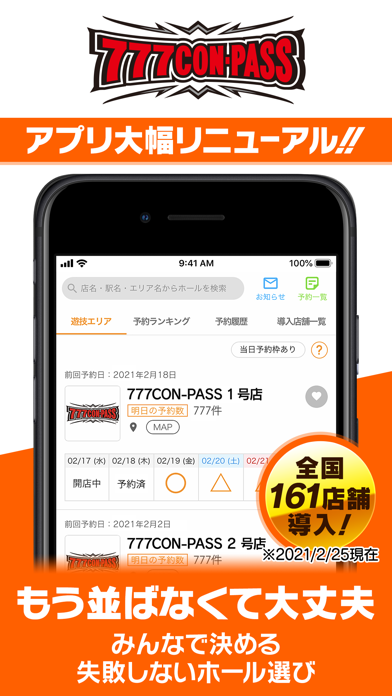
Sampled from 6 of 777CON-PASS(777コンパス)'s App Store screenshots — background, accent and theme, measured by LaunchShots (not something Apple publishes).
#FCFCFC bg
#DDDDDD
#FC6404 accent
#111111 text
Reading the caption text from the screenshots in your browser…
Screenshots


Icon palette
About this app
【月額サービス『777パスポート』のご案内】 ホールの予約から抽選、入場までの"立ち回り"をサポートします! 777パスポート会員になるとお得な特典が盛りだくさん! ①予約チケット:通常の2口に加えて更に追加でホール予約ができます。※同一ホールに予約したとしても入場番号抽選は1回のみとなります。 ②抽選結果確認時短機能:ホールが設定した入場順抽選時間よりも30分早く抽選結果がわかります。※無料会員は入場順抽選時間より抽選結果がわかります。 ③リアルタイム認証表示:自分より前の番号のユーザーと全体の認証状況が確認することができます。 ④予約ランキング:翌日の予約数が多いホールをランキング形式で閲覧できます。 ⑤過去の予約・認証者数の表示:過去に予約が多かったホールをチェックすることができます。 ⑥予約急上昇ランキング:前日比で翌日の予約数が上昇しているホールをランキング形式で閲覧できます。 ⑦再抽選時の空き番号確認:仮番号を破棄して再度抽選に申し込んだ際に、未認証の番号を確認することができます。 ⑧制限エリア解除:ホ…
App details
What you can learn from 777CON-PASS(777コンパス)
Every shipping app on the App Store has gone through the same decisions you're working through right now: which screenshot goes first, what caption sits over it, which device frame to show, what color the background should be. The 6 screenshots above are 777CON-PASS(777コンパス)'s answers to those questions — they're public, they're real, and they made it through Apple's review.
What the numbers say: 777CON-PASS(777コンパス) runs a mixed light-and-dark set where the background shifts from screenshot to screenshot (first shot #FCFCFC) — each image has to stand on its own, so the captions carry more of the story. The accent colour we picked up, #FC6404, is the one to reuse for badges, arrows and highlighted words if you borrow this look. Hit Use this style to open the editor with these exact colours and drop your own screenshot in.
Notice the first screenshot in particular. It's the one users see in search results and on the product page, and it's where most apps spend their best caption and tightest design. Look at the proportion of background to phone, where the text sits, what one thing the image is trying to communicate.
Want to see how other Entertainment apps approach the same problem? Browse more Entertainment apps in the showcase.
Take what works into your own screenshots
Open LaunchShots and design your App Store & Google Play screenshots — pick a device frame, drop captions, ship in minutes. Free, in your browser.
Open the screenshot editor →Apps with a similar look
Closest background + accent colours among the listings we've analysed — useful when you want to see the same palette handled by a different team.