Screenshot style breakdown
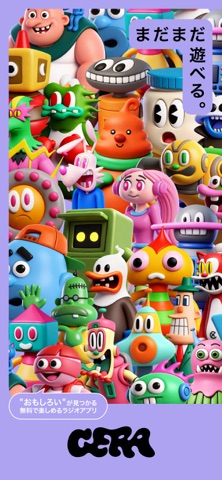
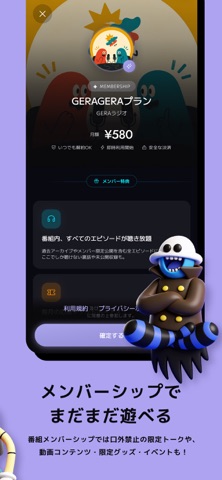
Sampled from 5 of GERA - オリジナルのポッドキャスト・ラジオ番組を配信's App Store screenshots — background, accent and theme, measured by LaunchShots (not something Apple publishes).
#ACA4F4 bg
#9790D6
#A4BC6C accent
#111111 text
Screenshots


Icon palette
About this app
GERAは、人気お笑い芸人を中心に、音楽アーティストやクリエイターなど、 多彩なパーソナリティが集まる、無料のラジオ・ポッドキャストアプリ。 地上波や他のラジオアプリでは聴けない、"おもしろい"がここで見つかる。 アプリリリース6周年を迎え、デザインも機能も新しくなりました。 ◆ GERAでできること ・毎日更新、8,000本以上のオリジナルエピソードが聴き放題(無料) ・バックグラウンド再生・倍速再生・複数番組の"続きから再生"に対応 ・番組ごとのメンバーシップ機能(月額480円〜) → 過去回アーカイブ、限定エピソード、生配信、オフライン再生、広告ブロック ・番組スポンサー権利:あなたの名前と一言をパーソナリティが番組内で読み上げ ・アプリ限定番組多数。パーソナリティとリスナーの距離が近い運営スタイル ◆ こんなシーンで 通勤・通学の電車で/家事・作業のお供に/勉強中のBGMに/就寝前のひとときに/ ランニング・ジムのモチベーションに/運転中のドライブラジオに ◆ こんな方におすすめ ・お笑いやエンタメカルチャーが好きな方 …
App details
What you can learn from GERA - オリジナルのポッドキャスト・ラジオ番組を配信
Every shipping app on the App Store has gone through the same decisions you're working through right now: which screenshot goes first, what caption sits over it, which device frame to show, what color the background should be. The 5 screenshots above are GERA - オリジナルのポッドキャスト・ラジオ番組を配信's answers to those questions — they're public, they're real, and they made it through Apple's review.
What the numbers say: GERA - オリジナルのポッドキャスト・ラジオ番組を配信 runs a light set with one background colour (#ACA4F4) carried across every screenshot — the listing reads as a single poster when the shots sit side by side in search results. The accent colour we picked up, #A4BC6C, is the one to reuse for badges, arrows and highlighted words if you borrow this look. Hit Use this style to open the editor with these exact colours and drop your own screenshot in.
Notice the first screenshot in particular. It's the one users see in search results and on the product page, and it's where most apps spend their best caption and tightest design. Look at the proportion of background to phone, where the text sits, what one thing the image is trying to communicate.
Want to see how other Entertainment apps approach the same problem? Browse more Entertainment apps in the showcase.
Take what works into your own screenshots
Open LaunchShots and design your App Store & Google Play screenshots — pick a device frame, drop captions, ship in minutes. Free, in your browser.
Open the screenshot editor →Apps with a similar look
Closest background + accent colours among the listings we've analysed — useful when you want to see the same palette handled by a different team.