Chart position — tracked daily by LaunchShots
Screenshot style breakdown
Sampled from 5 of チケットぴあ's App Store screenshots — background, accent and theme, measured by LaunchShots (not something Apple publishes).
#3C9CEC bg
#3489CF
#1C3C94 accent
#111111 text
Screenshots
Icon palette
About this app
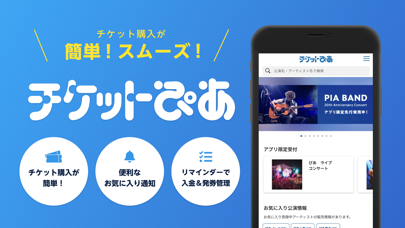
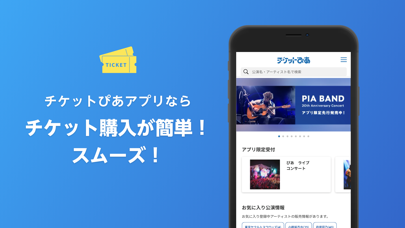
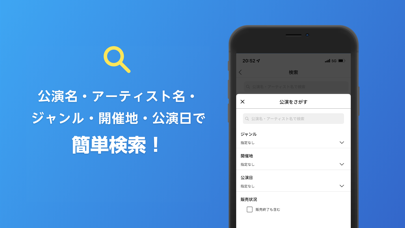
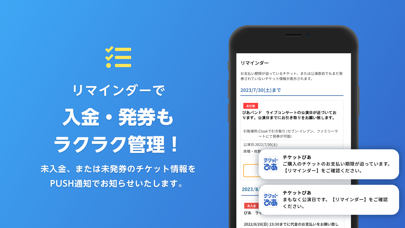
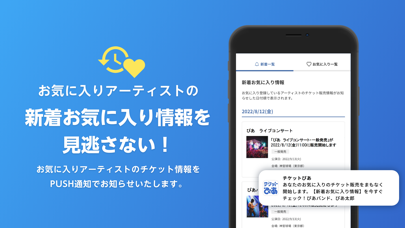
日本最大級のチケット販売サイト「チケットぴあ」の公式アプリ ライブ、コンサート、舞台、スポーツ、クラシック、韓流、アニメ、映画などのチケットを予約・購入ができます。 【Webサイトよりスピーディーなチケット購入が可能】 アプリ独自の購入画面やログイン認証のスキップを実現。 チケットぴあWebサイトでは購入完了までに複数ページの移動が必要ですが、アプリなら公演・枚数を選んでからたったの1ステップ(※)で購入が可能です。 ※一部公演や決済方法、お客様のログイン認証状態により、1ステップとならない場合がございます。 【自分だけのホーム画面でより便利に!】 お気に入りアーティストを登録をすると、ホーム画面から検索なしでチケット情報をチェックできます。 一度アクセスしたチケット情報へは閲覧履歴から。 より便利にチケットぴあを使えるようになりました。 【お気に入りアーティストの情報をもう見逃さない!】 お気に入りアーティストのチケット情報をPUSH通知でお届けします。 これで先着発売のスタートに出遅れたり、抽選申込期間を…
App details
What you can learn from チケットぴあ
Every shipping app on the App Store has gone through the same decisions you're working through right now: which screenshot goes first, what caption sits over it, which device frame to show, what color the background should be. The 5 screenshots above are チケットぴあ's answers to those questions — they're public, they're real, and they made it through Apple's review.
What the numbers say: チケットぴあ runs a light set with one background colour (#3C9CEC) carried across every screenshot — the listing reads as a single poster when the shots sit side by side in search results. The accent colour we picked up, #1C3C94, is the one to reuse for badges, arrows and highlighted words if you borrow this look. Hit Use this style to open the editor with these exact colours and drop your own screenshot in.
Notice the first screenshot in particular. It's the one users see in search results and on the product page, and it's where most apps spend their best caption and tightest design. Look at the proportion of background to phone, where the text sits, what one thing the image is trying to communicate.
Want to see how other Entertainment apps approach the same problem? Browse more Entertainment apps in the showcase.
Take what works into your own screenshots
Open LaunchShots and design your App Store & Google Play screenshots — pick a device frame, drop captions, ship in minutes. Free, in your browser.
Open the screenshot editor →Apps with a similar look
Closest background + accent colours among the listings we've analysed — useful when you want to see the same palette handled by a different team.