Chart position — tracked daily by LaunchShots
Screenshot style breakdown
Sampled from 6 of Beauty skin予約(ビューティースキン予約)'s App Store screenshots — background, accent and theme, measured by LaunchShots (not something Apple publishes).
#44C4CC bg
#3BACB3
#FCEC94 accent
#111111 text
Screenshots



Icon palette
About this app
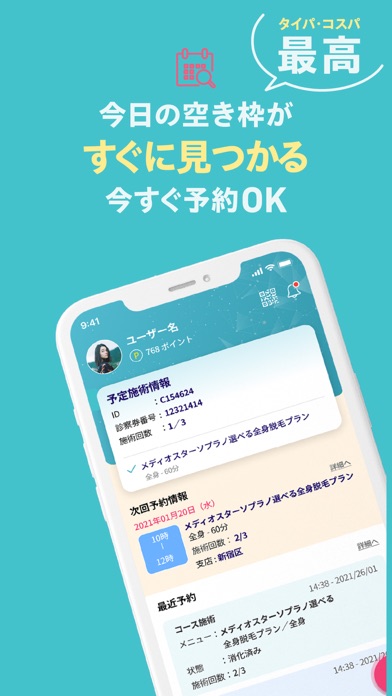
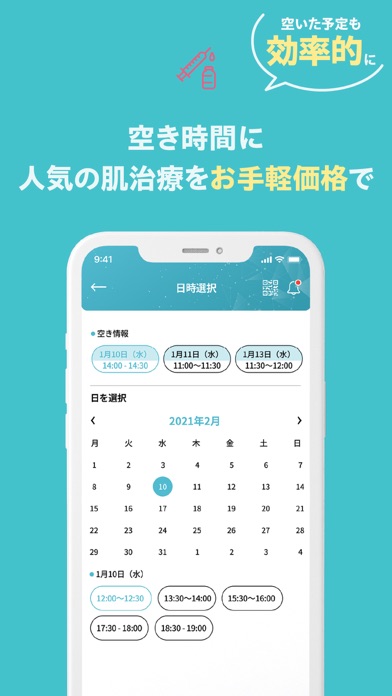
Beauty skin予約は、医療脱毛・美肌治療を手軽に、自由に予約できる公式アプリです。 今回のアップデートで、Apple IDでの簡単ログイン、Apple Payによるスムーズなお支払いに対応しました。 もちろん、メールアドレスでのログインも可能です。 アプリをダウンロードして、1分で施術予約が完了します。 アプリの特徴 ・アプリから当日施術の予約が可能 ・すべてのメニューが1回ずつの都度払い可能 ・コース契約や面倒なお手続きは不要 ・医療脱毛・美肌治療をすぐに受けられます ・無料カウンセリングのみのご予約も可能 ・予約の変更・キャンセルもアプリから簡単 ・アプリ決済限定の特別価格をご用意 ※アプリに登録される個人情報は暗号化して安全に管理されています。 ログイン方法 ・Apple ID ・メールアドレス お支払い方法 ・Apple Pay ・各種クレジットカード ※現金・電子マネーでのお支払いをご希望の場合は、クリニックまでお問い合わせください。 主な施術メニュー ・医療レーザー脱毛 (ジェントルマックスプロ/ジェントルマックスプロプラス/ソプラノ…
App details
What you can learn from Beauty skin予約(ビューティースキン予約)
Every shipping app on the App Store has gone through the same decisions you're working through right now: which screenshot goes first, what caption sits over it, which device frame to show, what color the background should be. The 6 screenshots above are Beauty skin予約(ビューティースキン予約)'s answers to those questions — they're public, they're real, and they made it through Apple's review.
What the numbers say: Beauty skin予約(ビューティースキン予約) runs a light set with one background colour (#44C4CC) carried across every screenshot — the listing reads as a single poster when the shots sit side by side in search results. The accent colour we picked up, #FCEC94, is the one to reuse for badges, arrows and highlighted words if you borrow this look. Hit Use this style to open the editor with these exact colours and drop your own screenshot in.
Notice the first screenshot in particular. It's the one users see in search results and on the product page, and it's where most apps spend their best caption and tightest design. Look at the proportion of background to phone, where the text sits, what one thing the image is trying to communicate.
Want to see how other Medical apps approach the same problem? Browse more Medical apps in the showcase.
Take what works into your own screenshots
Open LaunchShots and design your App Store & Google Play screenshots — pick a device frame, drop captions, ship in minutes. Free, in your browser.
Open the screenshot editor →Apps with a similar look
Closest background + accent colours among the listings we've analysed — useful when you want to see the same palette handled by a different team.