Chart position — tracked daily by LaunchShots
Screenshot style breakdown
Sampled from 6 of Choreographic: Формации танца's App Store screenshots — background, accent and theme, measured by LaunchShots (not something Apple publishes).
#1C1C1C bg
#3B3B3B
#A43C34 accent
#FFFFFF text
Reading the caption text from the screenshots in your browser…
Screenshots





iPad screenshots


Icon palette
About this app
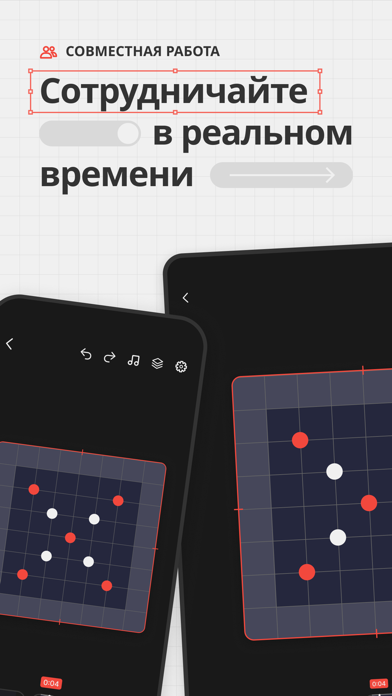
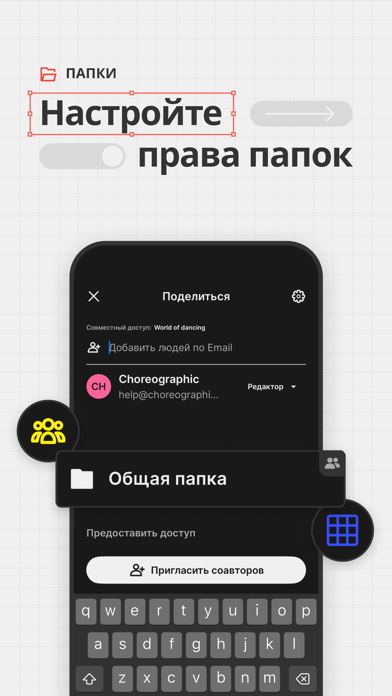
Choreographic — быстрый и современный способ проектировать танцевальные формации. Визуализируйте формации на сцене, точно настраивайте индивидуальные траектории танцоров, анимируйте переходы в 3D, синхронизируйте с музыкой, сотрудничайте в реальном времени и продолжайте творить офлайн. СОВМЕСТНАЯ РАБОТА В РЕАЛЬНОМ ВРЕМЕНИ Создавайте одну и ту же хореографию вместе с командой — изменения мгновенно появляются на всех устройствах. 3D ПРОСМОТР ФОРМАЦИЙ Визуализируйте формации под любым углом для реалистичного предварительного просмотра того, как танцоры выглядят на сцене. ИНДИВИДУАЛЬНЫЕ ТРАЕКТОРИИ ТАНЦОРОВ Создавайте кривые, дуги и маршруты с несколькими точками, чтобы точно задавать движение танцоров между формациями. Просматривайте каждую траекторию при воспроизведении в 2D и 3D. РАБОТА ОФЛАЙН Сделайте хореографии и команды доступными офлайн, продолжайте редактирование без подключения…
App details
What you can learn from Choreographic: Формации танца
Every shipping app on the App Store has gone through the same decisions you're working through right now: which screenshot goes first, what caption sits over it, which device frame to show, what color the background should be. The 20 screenshots above are Choreographic: Формации танца's answers to those questions — they're public, they're real, and they made it through Apple's review.
What the numbers say: Choreographic: Формации танца runs a mixed light-and-dark set where the background shifts from screenshot to screenshot (first shot #1C1C1C) — each image has to stand on its own, so the captions carry more of the story. The accent colour we picked up, #A43C34, is the one to reuse for badges, arrows and highlighted words if you borrow this look. Hit Use this style to open the editor with these exact colours and drop your own screenshot in.
Notice the first screenshot in particular. It's the one users see in search results and on the product page, and it's where most apps spend their best caption and tightest design. Look at the proportion of background to phone, where the text sits, what one thing the image is trying to communicate.
Want to see how other Productivity apps approach the same problem? Browse more Productivity apps in the showcase.
Take what works into your own screenshots
Open LaunchShots and design your App Store & Google Play screenshots — pick a device frame, drop captions, ship in minutes. Free, in your browser.
Open the screenshot editor →Apps with a similar look
Closest background + accent colours among the listings we've analysed — useful when you want to see the same palette handled by a different team.