Chart position — tracked daily by LaunchShots
Screenshot changes — detected by LaunchShots
Screenshot style breakdown
Sampled from 6 of スマホ依存対策Blockinスクリーンタイム制限・勉強・集中's App Store screenshots — background, accent and theme, measured by LaunchShots (not something Apple publishes).
#CCCCC4 bg
#B3B3AC
#C49474 accent
#111111 text
Reading the caption text from the screenshots in your browser…
Screenshots


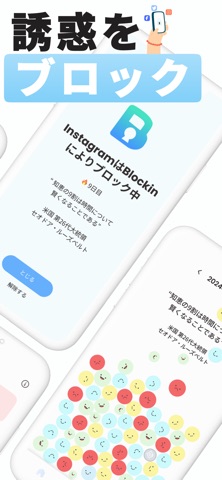


iPad screenshots


Icon palette
About this app
◆◇ 毎日の生活にもっとメリハリを ◇◆ スマホの利用を適切に制限し、よりバランスのとれら生活をサポートするヘルスケアアプリ ■アプリの特徴 ◇カスタマイズできる3種類のブロック設定◇ ライフスタイルに合わせて、次の3種類のブロック設定をカスタマイズできます。 1. ルーティーンブロック:日々の習慣化をサポートするための2種類のブロック設定を含みます。 1-1. 時間帯ブロック: 1日の特定の時間帯(例:「21:00-24:00」)の利用を制限し、その期間中は自動的にアプリがブロックされます。 1-2. タイマーブロック: 1日の利用時間を制限(例:「2時間」)し、設定時間が経過すると自動ブロックがかかります。 2. クイックブロック:即座にアプリの利用を制限し、「集中」をサポート。例えば、「25分ブロック、5分休憩」のポモドーロタイマーとして設定可能です。 ◇成果を可視化◇ 「ルーティンブロック」・「クイックブロック」それぞれの利用状況に応じ”ブロッキン”を獲得できます。 - ルーティンブロック:ブロッ…
App details
What you can learn from スマホ依存対策Blockinスクリーンタイム制限・勉強・集中
Every shipping app on the App Store has gone through the same decisions you're working through right now: which screenshot goes first, what caption sits over it, which device frame to show, what color the background should be. The 16 screenshots above are スマホ依存対策Blockinスクリーンタイム制限・勉強・集中's answers to those questions — they're public, they're real, and they made it through Apple's review.
What the numbers say: スマホ依存対策Blockinスクリーンタイム制限・勉強・集中 runs a light set where the background shifts from screenshot to screenshot (first shot #CCCCC4) — each image has to stand on its own, so the captions carry more of the story. The accent colour we picked up, #C49474, is the one to reuse for badges, arrows and highlighted words if you borrow this look. Hit Use this style to open the editor with these exact colours and drop your own screenshot in.
Notice the first screenshot in particular. It's the one users see in search results and on the product page, and it's where most apps spend their best caption and tightest design. Look at the proportion of background to phone, where the text sits, what one thing the image is trying to communicate.
Want to see how other Health & Fitness apps approach the same problem? Browse more Health & Fitness apps in the showcase.
Take what works into your own screenshots
Open LaunchShots and design your App Store & Google Play screenshots — pick a device frame, drop captions, ship in minutes. Free, in your browser.
Open the screenshot editor →Apps with a similar look
Closest background + accent colours among the listings we've analysed — useful when you want to see the same palette handled by a different team.