Chart position — tracked daily by LaunchShots
Screenshot changes — detected by LaunchShots
Screenshot style breakdown
Sampled from 6 of Box: The power of Content + AI's App Store screenshots — background, accent and theme, measured by LaunchShots (not something Apple publishes).
#F4F4FC bg
#D6D6DD
#647CF4 accent
#111111 text
Reading the caption text from the screenshots in your browser…
Screenshots

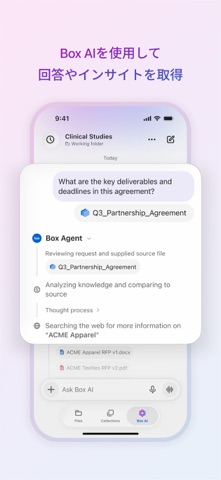
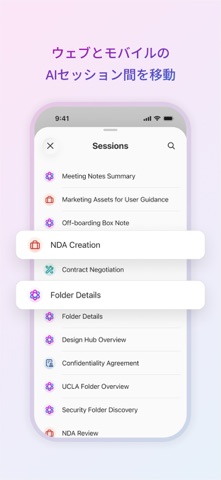


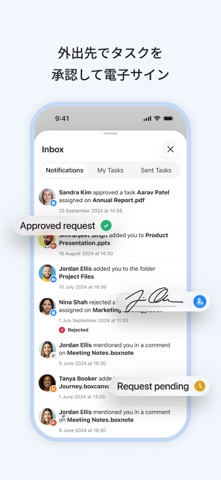

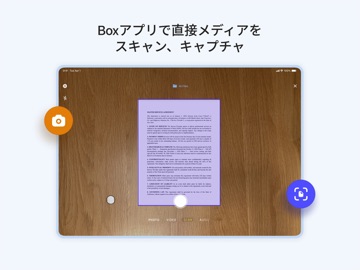
iPad screenshots




Icon palette
About this app
インテリジェントコンテンツ管理においてリーダー的存在であるBoxを使用すると、どこでもコンテンツを利用できます。重要なコンテンツのキャプチャ、スキャン、アクセス、作成、編集、注釈付け、共有をシームレスに行うことができ、すべてエンタープライズグレードの保護機能によって保護されます。 Boxを使用すると、次のことが可能になります。• Box AIの使用: 質問、ドキュメントの要約、ワークフローの自動化 • ファイルの管理: オフラインアクセスによる数百種類のファイルのアップロード、表示、検索 • コンテンツのキャプチャ: OCRによるドキュメントのスキャン、写真/ビデオの撮影、音声の録音 • コラボレーション: ファイル共有、Box Notesの共同編集、ドキュメントへの注釈付け、手書き文字の書き起こし • データのセキュリティ保護: エンタープライズ暗号化とコンプライアンス管理によるファイルの保護 -- AppleのBest New AppsとBest New Business Appsで取り上げられました「Boxは、クラウドで安全にファイルを表示、編集、共有するための優れた選択…
App details
What you can learn from Box: The power of Content + AI
Every shipping app on the App Store has gone through the same decisions you're working through right now: which screenshot goes first, what caption sits over it, which device frame to show, what color the background should be. The 16 screenshots above are Box: The power of Content + AI's answers to those questions — they're public, they're real, and they made it through Apple's review.
What the numbers say: Box: The power of Content + AI runs a light set with one background colour (#F4F4FC) carried across every screenshot — the listing reads as a single poster when the shots sit side by side in search results. The accent colour we picked up, #647CF4, is the one to reuse for badges, arrows and highlighted words if you borrow this look. Hit Use this style to open the editor with these exact colours and drop your own screenshot in.
Notice the first screenshot in particular. It's the one users see in search results and on the product page, and it's where most apps spend their best caption and tightest design. Look at the proportion of background to phone, where the text sits, what one thing the image is trying to communicate.
Want to see how other Productivity apps approach the same problem? Browse more Productivity apps in the showcase.
Take what works into your own screenshots
Open LaunchShots and design your App Store & Google Play screenshots — pick a device frame, drop captions, ship in minutes. Free, in your browser.
Open the screenshot editor →Apps with a similar look
Closest background + accent colours among the listings we've analysed — useful when you want to see the same palette handled by a different team.