Chart position — tracked daily by LaunchShots
Screenshot changes — detected by LaunchShots
Screenshot style breakdown
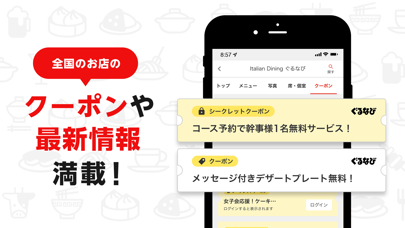
Sampled from 6 of 楽天ぐるなび's App Store screenshots — background, accent and theme, measured by LaunchShots (not something Apple publishes).
#EC0C0C bg
#EE2E2E
#FCC444 accent
#FFFFFF text
Reading the caption text from the screenshots in your browser…
Screenshots




Icon palette
About this app
レストランのネット予約でダントツお得に楽天ポイントが貯まるグルメアプリ! 当日行きたい、今すぐ行きたいお店を最短20秒で簡単予約! さらに楽天リワードにログインすると、アプリを起動するだけで楽天ポイントがコツコツ貯まる! ■■■■楽天ぐるなびアプリの主な機能■■■■ 1)飲食店の検索 ・ぐるなびポイントが利用できるお店を探す ・アプリ起動後に周辺のお店をマップで手早く探す ・マップでよりこだわった範囲をなぞって探す ・テイクアウトできるお店を探す ・エリアから探す ・駅から探す ・現在地周辺から探す ・ランチのあるお店を探す ・ネット予約できるお店を探す ・クーポンのあるお店を探す 2)お店の詳細情報 設備やサービスなどの詳しい情報やお店がこだわっているポイント、画像などからお気に入りのお店を見つけることができます。 左右のスワイプでのページ切り替えや、画像の拡大などにも対応し、より見やすく生まれ変わっています。 3)お店のこだわり 「感染症対策のあるお店」「個室席」「直送天然地魚」など、食材や雰囲気などのお店の…
App details
What you can learn from 楽天ぐるなび
Every shipping app on the App Store has gone through the same decisions you're working through right now: which screenshot goes first, what caption sits over it, which device frame to show, what color the background should be. The 7 screenshots above are 楽天ぐるなび's answers to those questions — they're public, they're real, and they made it through Apple's review.
What the numbers say: 楽天ぐるなび runs a mixed light-and-dark set where the background shifts from screenshot to screenshot (first shot #EC0C0C) — each image has to stand on its own, so the captions carry more of the story. The accent colour we picked up, #FCC444, is the one to reuse for badges, arrows and highlighted words if you borrow this look. Hit Use this style to open the editor with these exact colours and drop your own screenshot in.
Notice the first screenshot in particular. It's the one users see in search results and on the product page, and it's where most apps spend their best caption and tightest design. Look at the proportion of background to phone, where the text sits, what one thing the image is trying to communicate.
Want to see how other Food & Drink apps approach the same problem? Browse more Food & Drink apps in the showcase.
Take what works into your own screenshots
Open LaunchShots and design your App Store & Google Play screenshots — pick a device frame, drop captions, ship in minutes. Free, in your browser.
Open the screenshot editor →Apps with a similar look
Closest background + accent colours among the listings we've analysed — useful when you want to see the same palette handled by a different team.