Chart position — tracked daily by LaunchShots
Screenshot changes — detected by LaunchShots
Screenshot style breakdown
Sampled from 6 of immowelt – Immobilien Suche's App Store screenshots — background, accent and theme, measured by LaunchShots (not something Apple publishes).
#F4F4EC bg
#D6D6CF
#FCCC84 accent
#111111 text
Screenshots


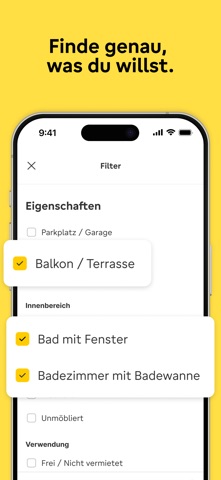


iPad screenshots


Icon palette
About this app
Willkommen bei immowelt – deiner All-in-One-App zum Mieten, Kaufen und Inserieren von Immobilien in Deutschland und Österreich! Finde deine neue Wohnung, dein Haus, eine WG oder ein Neubauprojekt – aus tausenden Immobilien zur Miete oder zum Kauf. Du möchtest eine Immobilie inserieren? Mit unseren smarten KI-Features bietest du sie schnell und einfach an. Entdecke die ganze Welt der Immobilien – miete, kaufe & inseriere mit immowelt! immowelt auf einen Blick: • Entdecke eine riesige Auswahl an Immobilien – Wohnung, Haus, WG & mehr • Nutze die Karte oder Liste & personalisiere die Wohnungssuche mit Filtern • Sammle & vergleiche deine Favoriten mit dem Merkzettel • Speichere deine Suche & werde als Erster über neue Angebote informiert • Bestelle deine SCHUFA-Auskunft – offiziell, digital & preiswert • Meine Immo: Immobilien bewerten, Inserate verwalten & Makler finden Vertraue dem Tes…
App details
What you can learn from immowelt – Immobilien Suche
Every shipping app on the App Store has gone through the same decisions you're working through right now: which screenshot goes first, what caption sits over it, which device frame to show, what color the background should be. The 14 screenshots above are immowelt – Immobilien Suche's answers to those questions — they're public, they're real, and they made it through Apple's review.
What the numbers say: immowelt – Immobilien Suche runs a light set where the background shifts from screenshot to screenshot (first shot #F4F4EC) — each image has to stand on its own, so the captions carry more of the story. The accent colour we picked up, #FCCC84, is the one to reuse for badges, arrows and highlighted words if you borrow this look. Hit Use this style to open the editor with these exact colours and drop your own screenshot in.
Notice the first screenshot in particular. It's the one users see in search results and on the product page, and it's where most apps spend their best caption and tightest design. Look at the proportion of background to phone, where the text sits, what one thing the image is trying to communicate.
Want to see how other Productivity apps approach the same problem? Browse more Productivity apps in the showcase.
Take what works into your own screenshots
Open LaunchShots and design your App Store & Google Play screenshots — pick a device frame, drop captions, ship in minutes. Free, in your browser.
Open the screenshot editor →Apps with a similar look
Closest background + accent colours among the listings we've analysed — useful when you want to see the same palette handled by a different team.